




SmartSafe 2.0 Electronic Wheel Aligner | WA613 and WAA613 ADAS
30.000,00 SAR
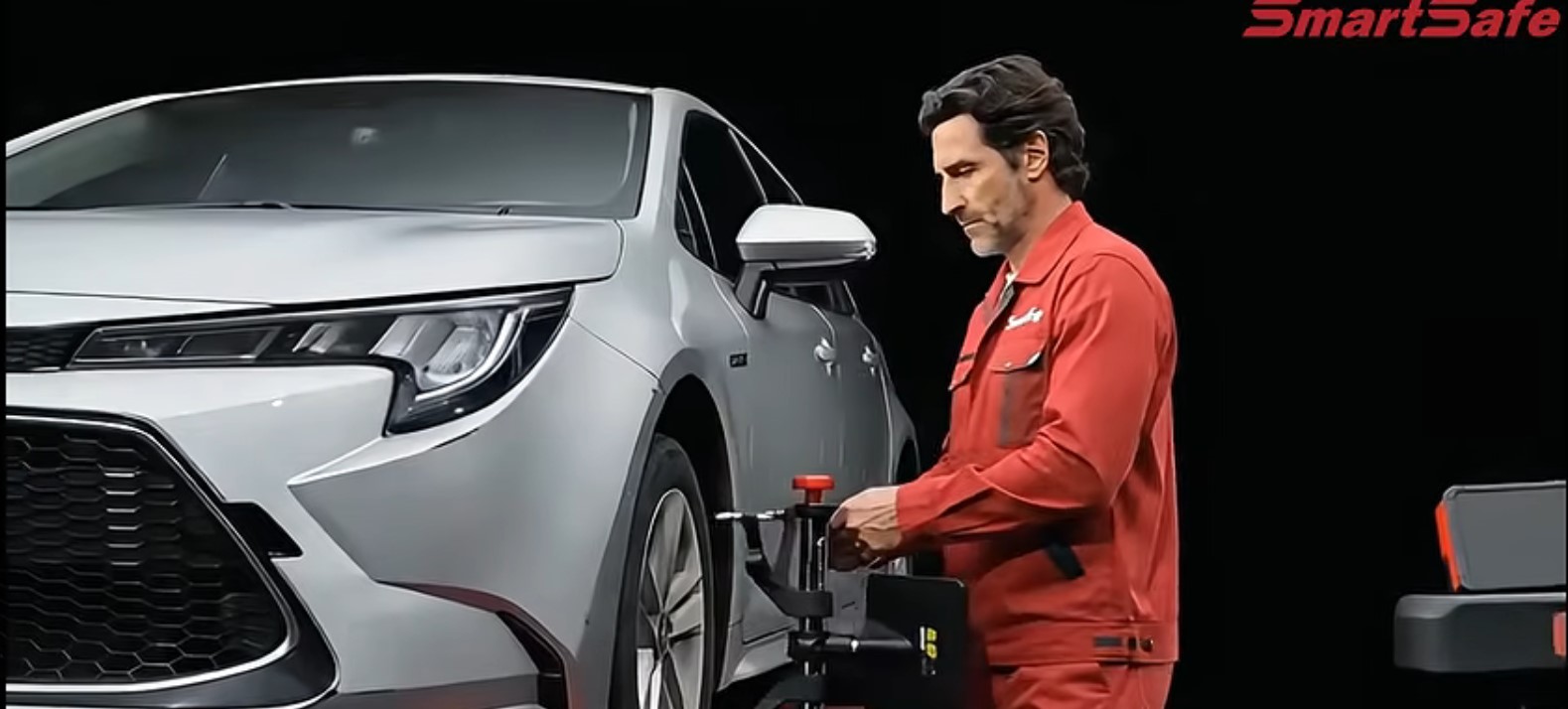
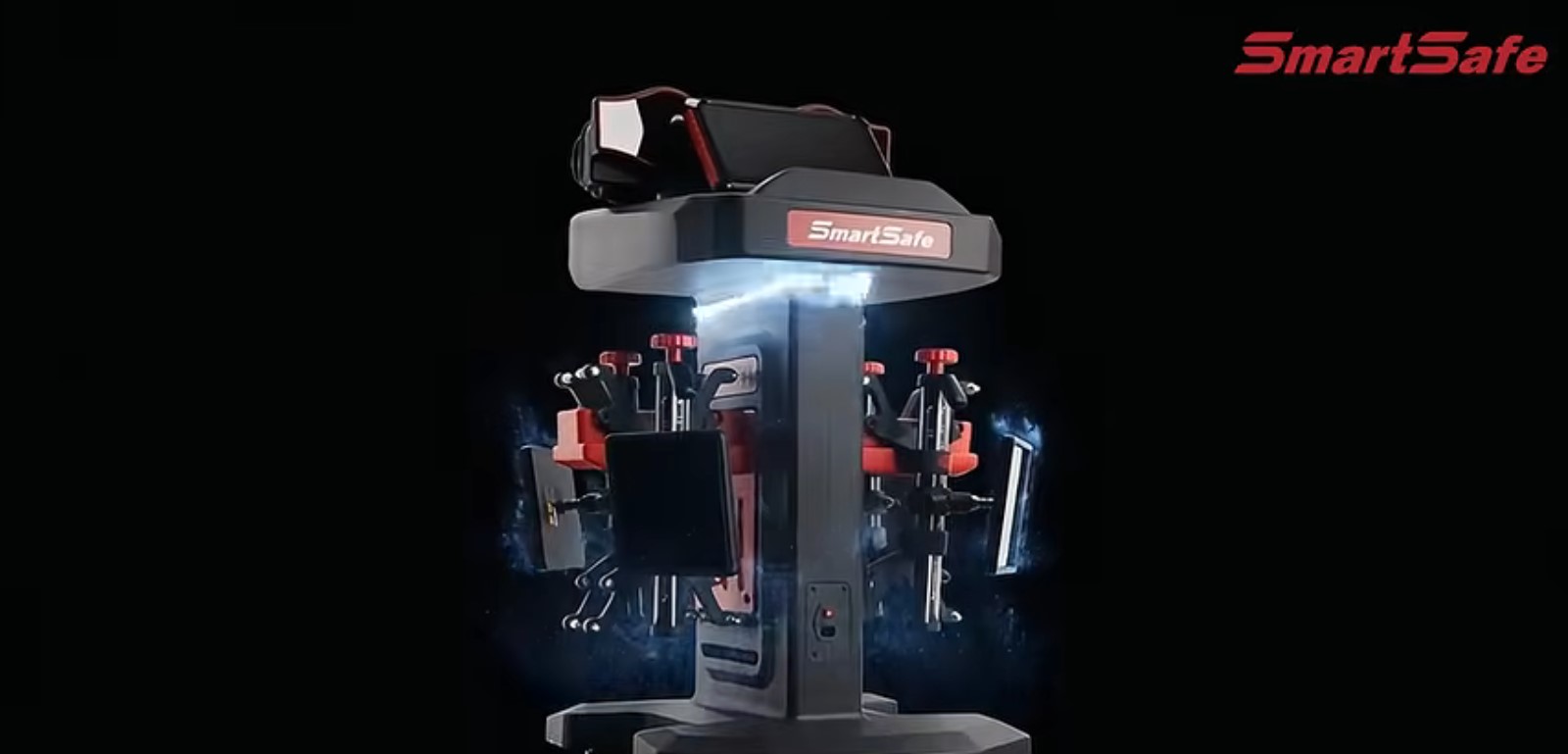
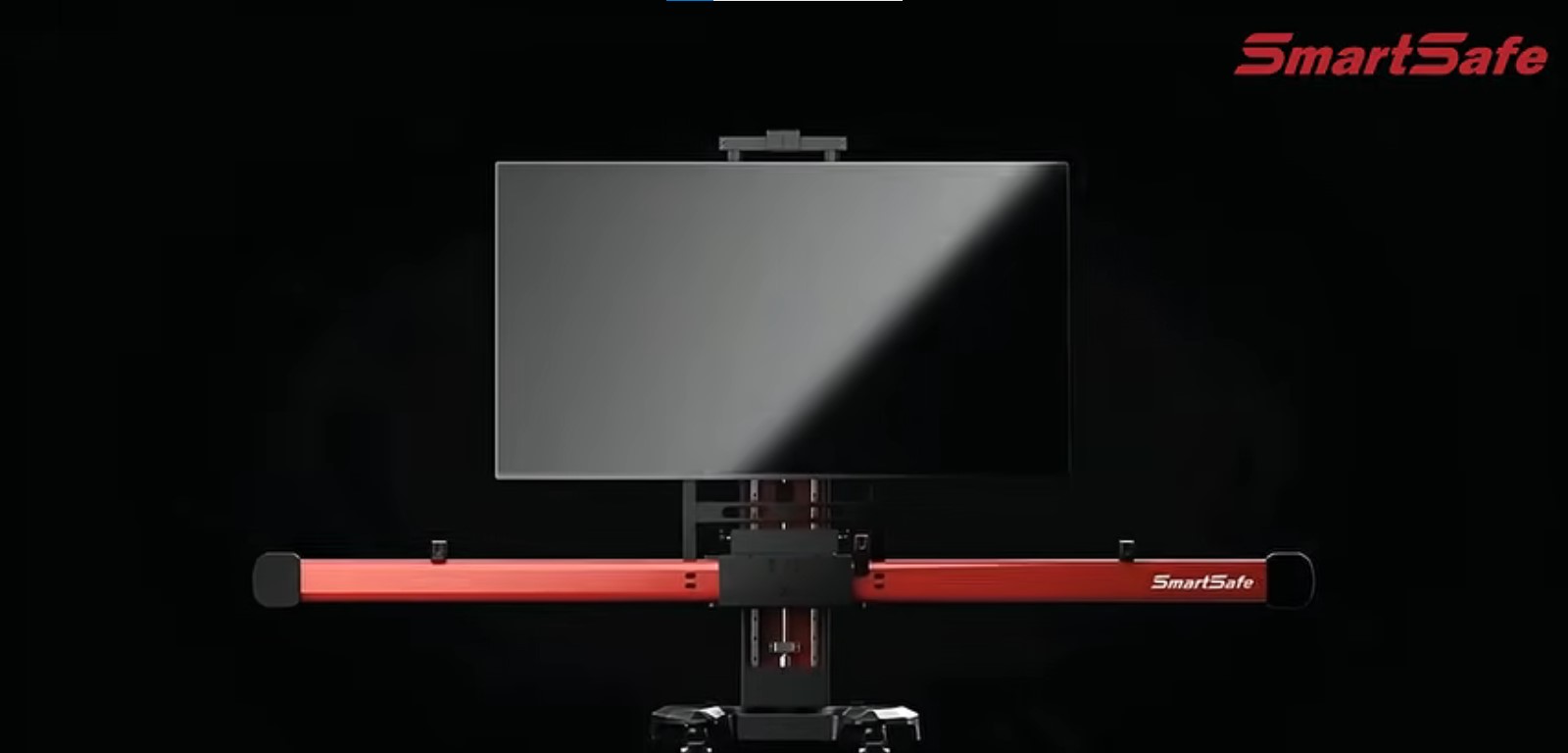
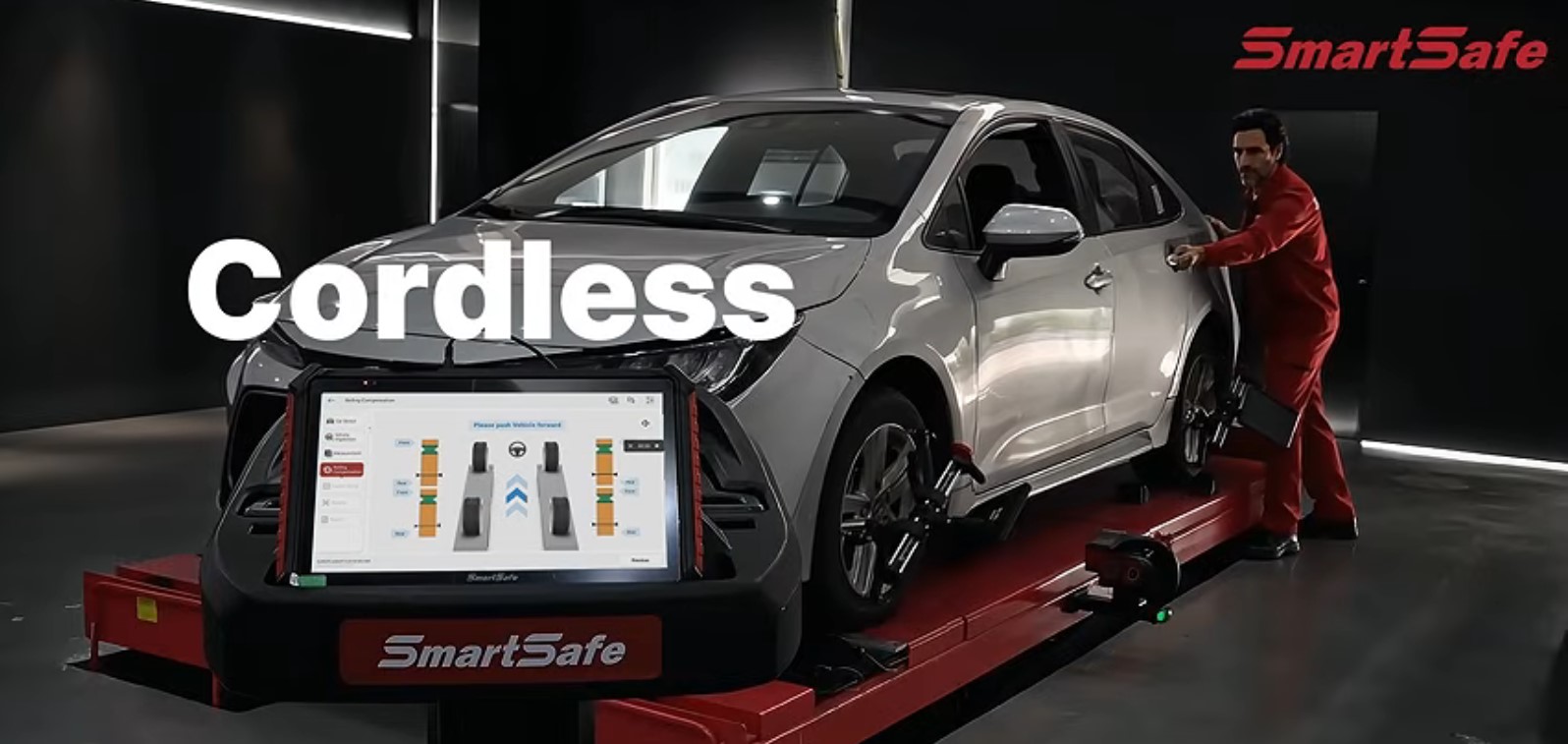
SmartSafe 2.0 | WA613 and WAA613 ADAS is a workshop system for wheel alignment and ADAS calibration. WA613 is a wireless 3D electronic wheel aligner with two magnetic measurement units and four targets, plus the ST13 intelligent link terminal for live wireless results during chassis adjustment. WAA613 ADAS combines alignment with intelligent ADAS calibration on a large digital display, according to official SmartSafe product data.
The WA613 is ready out of the box: no assembly, no wiring, and factory calibration-free. It works with large scissor lifts and four-post lifts, supports standard and quick measurement, covers more than 50,000 vehicle models, and produces before/after inspection reports.
Supplied in Saudi Arabia through Launch Gulf: 2-year warranty, 2 years of free updates, a free practical training course, and specialist technical support.
Add a documented wheel-alignment and ADAS calibration service to the workshop, with official training behind the system.

SmartSafe 2.0 electronic wheel aligner | WA613 and WAA613 ADAS
Wheel alignment is not a cosmetic extra for tyres. Toe, camber or caster error shows up as inner-edge wear, a pull to one side, higher fuel use and an unstable feel. On late-model cars, after chassis work, a windscreen or a radar replacement, ADAS cameras and radars also need calibration so lane-keeping and automatic braking still sit on the correct axis.
SmartSafe 2.0 in this listing brings together two jobs a service centre now sells: the WA613 wireless 3D electronic wheel aligner, documented in the official user manual, and the WAA613 ADAS configuration that combines alignment with digital ADAS calibration, according to SmartSafe’s official product page. The workshop gets a measurement it can explain, then — where WAA613 is specified — a path into driver-assistance calibration without rebuilding the bay from scratch.
Numeric ranges, environment limits and the operating sequence below come from the WA613 Wireless 3D Wheel Aligner manual issued by SHENZHEN SMARTSAFE TECH CO., LTD. Screen size and digital-ADAS functions are taken from the official WAA613 page and are labelled separately so they are not attributed to the WA613 unit alone.
What is the SmartSafe WA613?
The WA613 is a wireless 3D wheel aligner with a new industrial form. It detects relative positions and angles between the wheels, produces alignment parameters, and guides technicians as they adjust the chassis toward the vehicle’s design intent: smoother, safer driving and lower fuel use and tyre wear.
The manual states it is easy to operate, that platform levelness does not affect it, and that body tilt does not affect accuracy. Dynamic measurement is done by pushing the vehicle or rolling the wheels, which improves efficiency and accuracy.
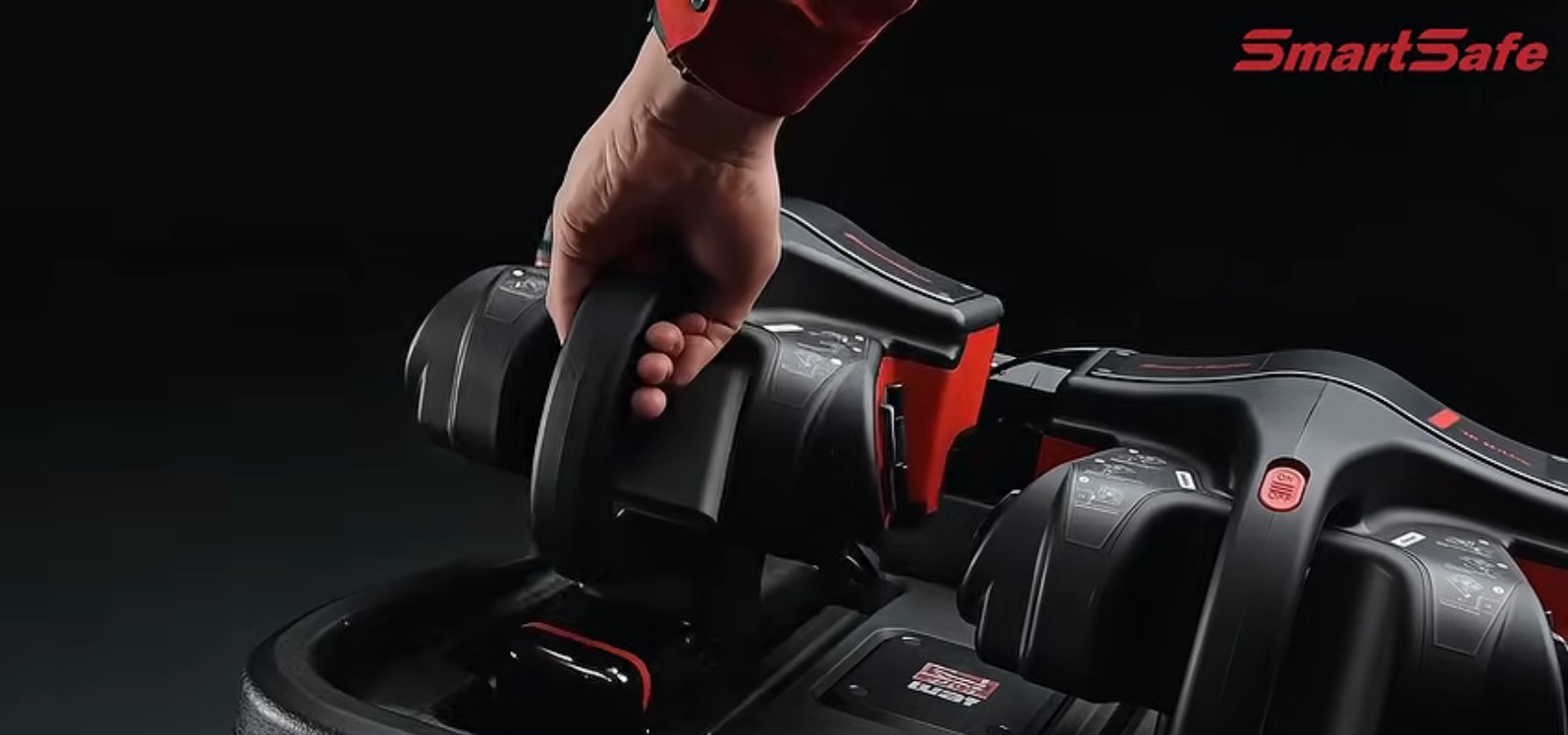
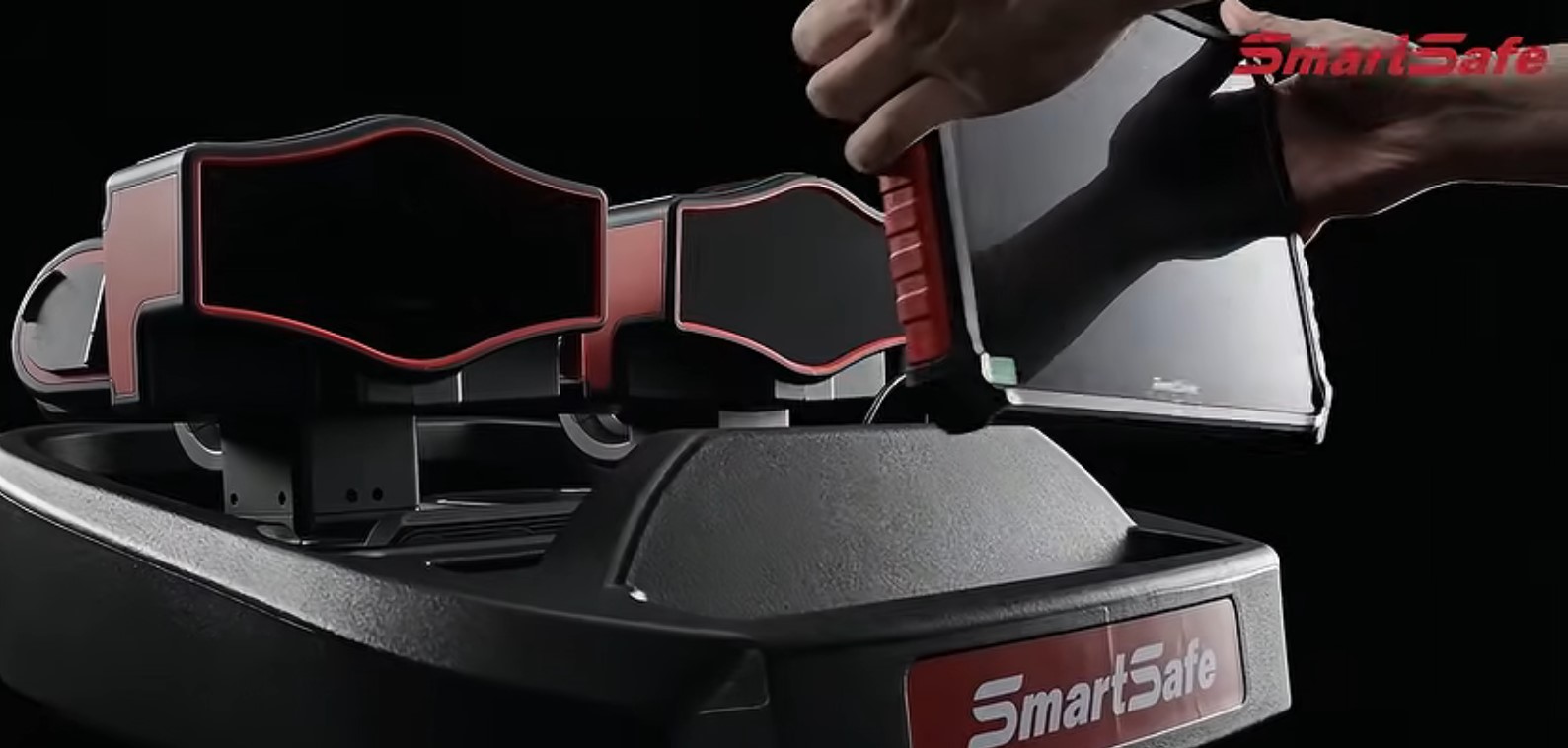
The data-acquisition section is two measurement units (left/right) and four targets on the clamps, working with the ST13 intelligent link terminal. The overall structure in the manual also lists clamps and targets, turntables, a steering-wheel fixture and a brake-pedal fixture, used with a standard four-post lift. Actual accessories follow the packing list.
What is WAA613 ADAS?
According to SmartSafe’s official page, WAA613 deeply integrates wireless 3D wheel alignment with intelligent ADAS calibration. A 75-inch screen shows the digital target and alignment information. You can switch from alignment to ADAS calibration in one action without repeating the full setup. Digital targets change automatically; physical targets do not need installing or storing. The ST13 terminal can wirelessly present the process on the 75-inch display. The vehicle database covers alignment data for over 50,000 global models and, for WAA613, calibration for over 95% of ADAS-equipped vehicles worldwide, with ongoing updates — as stated by SmartSafe for WAA613.
A 75-inch display and ADAS calibration are not claimed here for a WA613-only pack; they belong to the WAA613 system as published by SmartSafe.
Why a workshop needs an electronic aligner and ADAS calibration
- A pull or inner tyre wear is not settled by eye. You need toe, camber, caster and thrust-angle numbers.
- After control-arm, steering-rack or subframe work, alignment is a safety item.
- Camera- and radar-equipped cars often need ADAS calibration after chassis or glass work.
- A before/after report shows the customer what changed.
No guaranteed revenue is claimed. Fit depends on labour rates and volume. The system supplies a measurable, documentable service.
WA613 features from the official manual
- Ready out of the box: no assembly, no wiring, factory calibration-free.
- Works with large scissor lifts and four-post lifts.
- Wireless data to the ST13 terminal so you can watch the process while adjusting the chassis.
- Large-capacity battery; mains power is not required during measurement, which is safer around the lift.
- Two methods: standard measurement and quick measurement.
- Measures toe, camber, caster, kingpin inclination and thrust angle, plus wheelbase, track width, axle offset, wheel offset, diagonal and centre offset.
- Alignment data for over 50,000 global models, with user customisation.
- Professional reports, before/after comparison and report sharing.
WA613 measurement range (from the manual)
| Item | Value in the official WA613 manual |
|---|---|
| Wheelbase | 1,940 mm to 4,600 mm |
| Track width | 1,290 mm to 1,900 mm |
| Rim diameter (three-point rim clamp) | 275 mm to 640 mm |
| Tyre diameter (four-point tyre clamp) | 470 mm to 1,100 mm |
| Operating temperature | 0 to 45 °C |
| Operating humidity | 20% to 90% |
| Storage temperature | −20 to 70 °C |
| Storage humidity | 10% to 90% |
| Atmospheric pressure | 86 to 106 kPa |
| ESD protection | Air 8 kV, contact 4 kV |
| Light | Indoor use preferred; avoid strong sunlight |
| Lift way height difference, front to rear | < 2 mm |
WAA613 ADAS figures from SmartSafe’s official page (not the WA613 manual)
| Item | Value published by SmartSafe for WAA613 |
|---|---|
| Screen | 75 inches, 16:9 |
| Resolution | 3,840 × 2,160 (2160p) |
| Operating system | Android |
| Network | Wi-Fi |
| Memory (as published) | 1.5G + 8G |
| Supply voltage | 110–240 V |
| Overall power | 138 W |
| Standby power | < 0.5 W |
Angle ranges that appear only on the WAA613 marketing table are not copied onto the WA613 unit in this listing.
How the wireless 3D aligner works
Instead of a traditional beam and cabinet, WA613 uses two measurement units magnetically mounted on the lift bridge side, and four clamp targets (FR/FL/RR/RL). Indicator lights flash blue quickly while searching for the ST13, flash blue slowly during internal networking, then stay green when both units are connected to the tablet.
Status colours: green when all devices are online, red for low battery, orange for a fault, blue while connecting.
Standard measurement vs quick inspection
Standard four-wheel alignment includes vehicle selection, optional vehicle inspection (tyres, tread/pressure, ride height), fixture and device installation, global calibration, rolling compensation, kingpin measurement when needed, then results and the report.
Quick inspection skips vehicle selection, vehicle inspection and kingpin measurement. For every measurement function, the manual says to use the standard path.
Operating steps from the manual
- On first use, activate WA613 on the ST13 by serial number and activation code (or QR). The unit should be flashing blue.
- Select region, brand, model, year and configuration, or use search. Units for toe, angle, height, track and wheelbase can be changed.
- Tyre check (up to three reference photos per tyre), then tread depth and pressure (2 to 5 grooves). A tread tool can be connected if purchased separately.
- Measure body height after filling fuel, coolant and lubricant and placing the spare and tools in their positions.
- Fixtures: front wheels centred on the turntables, rear chocks, steering lock, gearbox in neutral, parking brake off.
- Clamps vertical to the ground, allowed error −15° to 15°, patterned target face toward the measurement unit.
- Mount measurement units magnetically from top to bottom on the lift-bridge side and align them on the same longitudinal axis.
- Run global calibration until units and targets show Ready.
- Rolling compensation: push backward until pointers stay in the green zone, then forward until the prompt confirms completion.
- Kingpin measurement: remove the steering lock, fit the brake lock, remove turntable and side-slip pins, then steer slowly past 12° each way as prompted.
- Save the pre-job values, measure again after adjustment, then share the report by QR or email or save as PDF.
If the lift shakes or rises during chassis work, run global calibration again so both bridges match in height.
What the machine measures
- Toe, camber, kingpin inclination and caster (front, for kingpin items)
- Toe-out on turns at 20°
- Thrust angle — if not zero the vehicle tends to move laterally; rear toe is adjusted
- Maximum steering angle
- Wheelbase difference and track-width difference
- Lateral offset, axle offset, delay and included angle
- Symmetric value — a first check on accident damage and chassis condition alongside alignment
Database, reports and device management
You can customise model data, manage customer vehicles and browse inspection records by time. Device management shows connection, battery (warning below 20%), firmware/system versions, unbind, and one-click upgrade. During upgrade both measurement-unit power switches must be ON and each unit above 80% battery or on the charging base. System settings cover display units, customer and shop data, app version and serial number.
Using WAA613 ADAS in the workshop
After alignment, the WAA613 path published by SmartSafe switches to ADAS calibration without a full re-setup. Digital targets appear on the large screen for the selected vehicle, reducing racks of physical boards. This page does not list every OEM camera or radar procedure; the official coverage claim is more than 95% of ADAS-equipped vehicles, with continuous updates.
Who this system is for
- Alignment and tyre shops that want a wireless 3D aligner without a traditional beam.
- Service centres that must calibrate cameras and radars after chassis or glass work (WAA613 path).
- Shops with limited floor space: magnetic units on the lift, no assembly wiring.
- Technicians who need before/after reports they can share.
The equipment is for professional technicians and maintenance personnel. Operators need a basic understanding of four-wheel alignment and safe lift use. It is not a home device.
Commercial value
Without guaranteed figures: you can price alignment as its own line, and add camera/radar calibration when the pack is WAA613. Reports reduce “did you actually align it?” disputes. Out-of-box setup is lighter than a fixed beam install. Volume in your city still decides the return.
Why SmartSafe WA613 / WAA613
- A written WA613 manual: ranges, environment, sequence and laser/safety warnings.
- Measurement described as independent of platform level and body tilt, with dynamic roll compensation.
- ST13 display while the technician is under the vehicle.
- WAA613 adds a published digital ADAS path on a 75-inch screen.
- Launch Gulf adds a 2-year local warranty, training and updates — wider than the one-year factory materials-and-workmanship warranty in the WA613 manual.
Category comparison
| Topic | SmartSafe WA613 / WAA613 | Traditional 3D beam-and-cabinet aligner | Low-cost undocumented aligner | ADAS with physical boards only |
|---|---|---|---|---|
| Setup | WA613: no assembly/wiring, factory calibration-free | Usually a fixed beam | Not confirmed | Not applicable |
| Hardware | Two magnetic units + 4 targets + ST13 | Cameras on a beam, typically | Not confirmed | Not applicable |
| Lift | Large scissor or four-post | Not confirmed | Not confirmed | Not confirmed |
| Database | 50,000+ models, customisable | Not confirmed | Not confirmed | Not confirmed |
| Reports | Yes (QR / email / PDF) | Not confirmed | Not confirmed | Not confirmed |
| Digital ADAS 75-inch | WAA613 per SmartSafe | Usually no | Not confirmed | Physical boards |
| Local support | Launch Gulf: 2-year warranty, training, 2-year updates | Not confirmed | Not confirmed | Not confirmed |
Questions before you buy
WA613 only or WAA613?
Alignment-only work is fully documented on WA613. If you sell camera and radar calibration after chassis jobs, WAA613 is the SmartSafe-published combined path.
Does it work on a scissor lift?
Yes. The manual lists large scissor lifts and four-post lifts, with front-to-rear lift-way height difference under 2 mm.
Is mains power needed during the measurement?
The manual: a large-capacity battery, and power connection is not required during measurement.
Is factory calibration required?
The manual: factory calibration-free and ready out of the box. Each job still includes on-site global calibration and rolling compensation.
Tips for a correct result
- Read the manual before install and use; check the packing list.
- Keep the unit off vibrating or tilted surfaces, direct sun and moisture.
- Keep the measurement-unit camera clean.
- Do not look into the laser; avoid eye or skin exposure to direct or scattered radiation.
- Do not run the system in a flammable atmosphere; keep an extinguisher nearby.
- Clamps vertical (−15° to 15°), targets facing the units.
- Retorque every fastener loosened during the job.
- For upgrades: switches ON and battery above 80% or on charge.
Mistakes to avoid
- Mounting on a slope or a vibrating structure.
- Unauthorised disassembly — the manual says warranty will not apply.
- Expecting kingpin results from quick inspection; that path excludes kingpin measurement.
- Rushing rolling compensation outside the green zone.
- Skipping global calibration after the lift moves.
- Starting a firmware upgrade on a low battery.
Why SmartSafe
SHENZHEN SMARTSAFE TECH CO., LTD. manufactures the equipment and publishes a manual, service contacts and an official site. A documented aligner is clearer to run than a unit with no usable handbook. Factory warranty in the WA613 manual is one year against defects in materials and workmanship for business use. Launch Gulf’s local package is two years plus training and updates; that is the distributor offer, not an extra sentence in the WA613 PDF.
Launch Gulf: warranty, training and support in Saudi Arabia
Buying through Launch Gulf, the exclusive local distributor, includes:
- 2-year warranty
- Free updates for two years
- A free practical training course
- Fast, specialist support for setup and faults
- After-sales support from an official channel
You are buying the machine plus warranty, training, support and updates.
Price and photos
Launch Gulf will add price and product photos on this draft before publish. Pricing is not part of the user manual.
Safety from the manual
- For professional technicians and maintenance staff.
- Need basic four-wheel-alignment knowledge and safe lift practice.
- No operation in flammable atmospheres; keep oily rags and solvents away; keep fire sources away.
- Laser warning: do not look at the emission.
Summary
If you need a professional electronic wheel aligner, WA613 — per its manual — is a wireless 3D system with two magnetic units, four targets and an ST13 terminal, standard and quick modes, a large model database and shareable reports. If you also need digital ADAS calibration, WAA613 is the officially published combined path with a 75-inch display and one-action switching from alignment to calibration.
Launch Gulf adds two years of warranty, training and support. Add photos and price, then review this draft before you publish.
Equip the shop with SmartSafe 2.0 | WA613 and WAA613 ADAS, and treat alignment and ADAS calibration as documented services.
60 reviews for SmartSafe 2.0 Electronic Wheel Aligner | WA613 and WAA613 ADAS
الأسئلة الشائعة
It is workshop equipment that measures wheel angles such as toe, camber, caster and thrust angle, then guides chassis adjustment toward the vehicle’s design values. It does not replace a diagnostic scan tool.
WA613 is a wireless 3D wheel aligner from SHENZHEN SMARTSAFE TECH CO., LTD. The user manual describes two magnetic measurement units, four clamp targets, the ST13 intelligent link terminal, standard and quick measurement, and a database of more than 50,000 models.
According to SmartSafe’s official page, WAA613 integrates wireless 3D wheel alignment with intelligent ADAS calibration. Digital targets appear on a 75-inch screen, and you can switch from alignment to ADAS calibration without a full re-setup.
The supplied user manual covers WA613 as a wireless 3D aligner. The 75-inch display and digital ADAS calibration belong to the WAA613 system as published by SmartSafe and are not attributed to a WA613-only pack.
Yes. The WA613 manual states no assembly, no wiring, and factory calibration-free. Each job still includes on-site global calibration and rolling compensation.
Yes. The manual lists large scissor lifts and four-post lifts, with front-to-rear lift-way height difference under 2 mm.
The manual: a large-capacity battery, and power connection is not required during measurement. Charging is discussed with storage and firmware upgrades.
Toe, camber, caster, kingpin inclination and thrust angle, plus wheelbase, track width, axle offset, wheel offset, diagonal and centre offset, according to the WA613 manual.
From the manual: wheelbase 1,940–4,600 mm and track width 1,290–1,900 mm. Rim diameter with a three-point clamp is 275–640 mm; tyre diameter with a four-point clamp is 470–1,100 mm.
Standard four-wheel alignment includes vehicle selection, optional vehicle inspection, global calibration, rolling compensation, kingpin measurement when needed, then the report. Quick inspection skips vehicle selection, vehicle inspection and kingpin measurement. Use the standard path for every measurement function.
No. The manual states that quick inspection excludes kingpin measurement. Choose the standard path if you need caster and kingpin inclination.
The WA613 manual and the WAA613 page both cite alignment data for more than 50,000 global models, with user customisation. Calibration coverage for more than 95% of ADAS-equipped vehicles is a SmartSafe claim for WAA613.
After saving pre-job values and measuring again, you can generate a before/after report and share it by QR code or email, or save it as PDF, according to the manual.
Operating temperature 0 to 45 °C, humidity 20% to 90%, indoor use preferred, avoid strong sunlight. Front-to-rear lift height difference must be under 2 mm.
Yes. The manual warns against looking at the laser emission and against exposing eyes or skin to direct or scattered radiation. The equipment is for professional technicians.
The WA613 manual states a one-year warranty against defects in materials and workmanship for business use. Unauthorised disassembly voids the warranty according to the manual.
Purchasing through Launch Gulf, the exclusive distributor in Saudi Arabia, includes a local 2-year warranty. That is the distributor offer, not an extra clause in the WA613 PDF.
Yes. Launch Gulf’s local package includes two years of free updates, a free practical training course, and specialist technical support.
No. The 75-inch 3840×2160 Android display is published by SmartSafe for the WAA613 system, not as a specification in the WA613 user manual.
Professional technicians and maintenance staff in alignment shops and service centres. Operators need basic four-wheel-alignment knowledge and safe lift practice. It is not a home device.


Golden Axis Workshop – Riyadh –
Wireless results on the ST13 help the technician under the vehicle. The before/after report showed the customer why the inner tyre was wearing.
Precise Angles Centre – Jeddah –
Magnetic units on the scissor lift cut setup time versus a traditional beam. Global calibration is now a fixed step on every job.
Advanced Chassis Workshop – Dammam –
Standard measurement is clearer than quick mode when we need caster and kingpin. Training stressed not mixing the two paths.
Technical Tyres Centre – Khobar –
The database covered most cars we see. Customising a missing model was done in device settings after the walkthrough.
Straight Road Workshop – Makkah –
No mains lead during measurement feels safer around the lift. Charging happens after the shift.
Path Alignment Centre – Madinah –
Rolling compensation into the green zone takes patience in week one, then it becomes routine and the reading settles.
Safe Height Workshop – Taif –
We treated the under-2 mm lift height difference seriously after install. Readings became consistent once the bridges matched.
South Angles Centre – Abha –
Unit lights (blue then green) make connection status obvious before a measurement. New staff read the colour, not a menu.
Coast Technical Workshop – Yanbu –
Sharing the report by QR ended most “did you actually align it?” arguments. The customer keeps a copy on the phone.
Qassim Alignment Centre – Buraidah –
Clamp vertical error within ±15° was an important training point. A tilted clamp gave an unstable reading on the first try.
Quick Alignment Service – Khamis Mushait –
Ready out of the box, as stated. Time went into the operating sequence, not cable assembly.
Jubail Wheel Alignment Centre –
Thrust-angle measurement helped pull complaints after rear control-arm work. Rear toe adjustment had a number behind it.
Najd Alignment Workshop – Hail –
Support explained repeating global calibration after the lift rose during chassis work. Skipping that step spoiled the reading.
North Body Centre – Tabuk –
A two-year distributor warranty matters when a new aligner joins the line. We know who to call months later.
Al-Ahsa Alignment Workshop –
The wheelbase range covered the pickups we see. We did not need a second machine for longer vehicles in this shop.
Qatif Tyres and Alignment –
The laser warning is part of daily safety. Nobody looks at the beam; that was clear from day one of training.
Najran Alignment Workshop –
Updates in the first two years reduce worry about the vehicle database going stale early on.
Jazan Chassis Service Centre –
The WAA613 path is useful when a car arrives after windscreen work and needs camera calibration after alignment.
AlUla Alignment Workshop –
Quick inspection is fine as a first look. Paid complete jobs stay on the standard path, as the manual says.
Kharj Wheel Alignment Centre –
Mounting both units on one longitudinal axis is something the supervisor checks. Any offset shows up in target stability.
Naseem Alignment Workshop – Riyadh –
Ease of use improved after a week. Searching the model is faster than walking the menus by hand.
Hamra Alignment Centre – Jeddah –
Hands-on training stopped staff starting kingpin measurement before removing the steering lock and fitting the brake lock.
Industrial Alignment Shop – Riyadh –
The layout suits a mid-size bay: no fixed beam blocking movement around the lift.
Safa Tyres Centre – Jeddah –
We added wheel alignment as its own price list line after commissioning. The report made the item easy to explain.
Aziziyah Chassis Workshop – Makkah –
Battery below 20% shows a clear warning. We do not start a long job before charging, which avoided a mid-measurement stop.
Noor Alignment Centre – Dammam –
Build quality is fine for daily work. Cleaning the measurement-unit camera is now a weekly maintenance item, as advised.
Corniche Alignment Workshop – Khobar –
Saving customer records by time made it easy to reopen a previous inspection when the same plate returned weeks later.
Safety Alignment Centre – Madinah –
We follow the environment limits: the lift stays inside the shop, not in a sun-exposed driveway.
Experts Wheel Alignment – Qassim –
Buying through an exclusive distributor meant training and a support path. First commissioning was not a guess.
Model Alignment Workshop – Riyadh –
After several months the sequence is still the same: global calibration, rolling compensation, measure, adjust, report. That stability matters more than slogans.