




Launch X-431 PRO3 LINK HD Arabic Diagnostic Scan Tool | Cars & Trucks
6.500,00 SAR
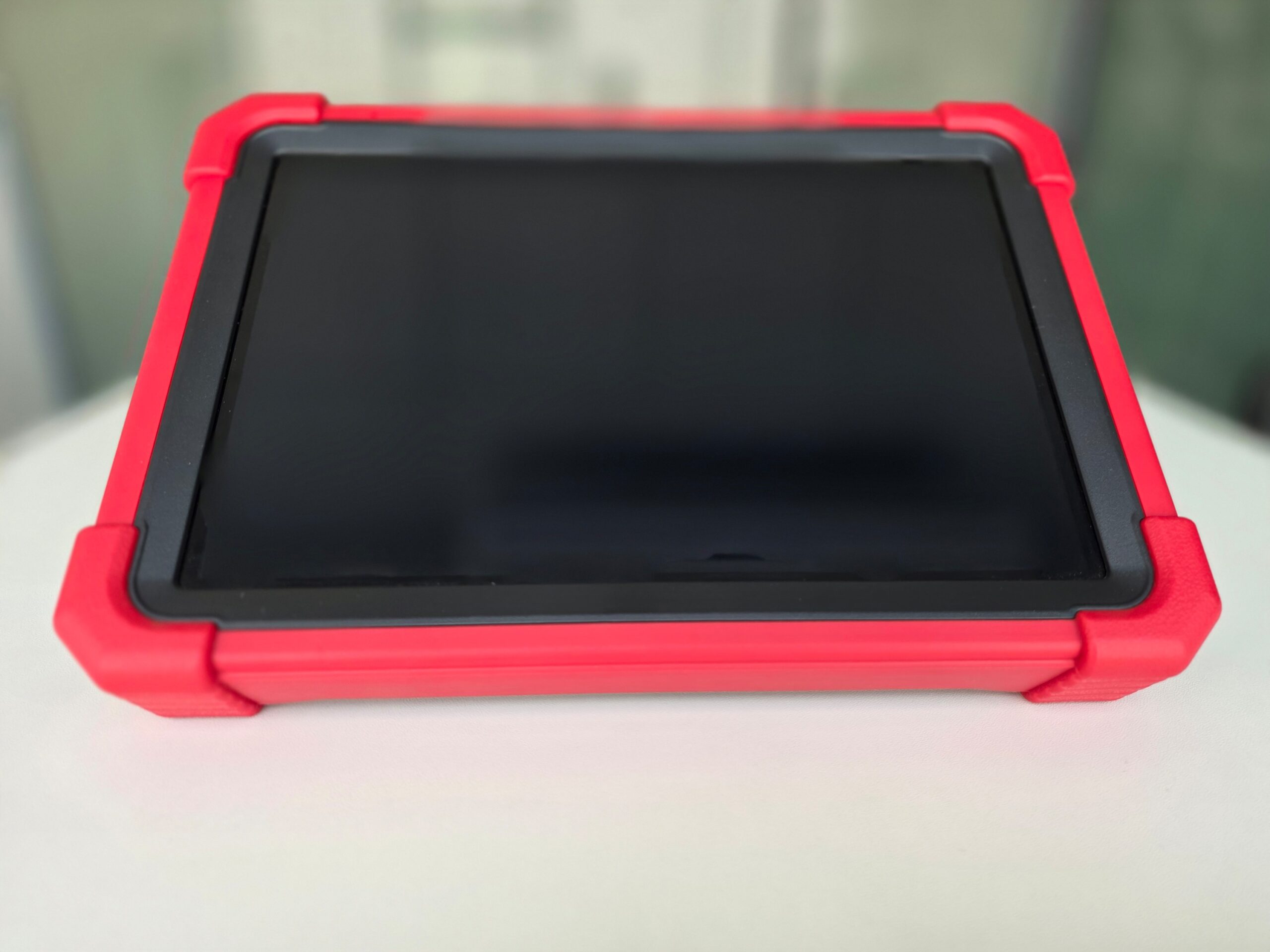
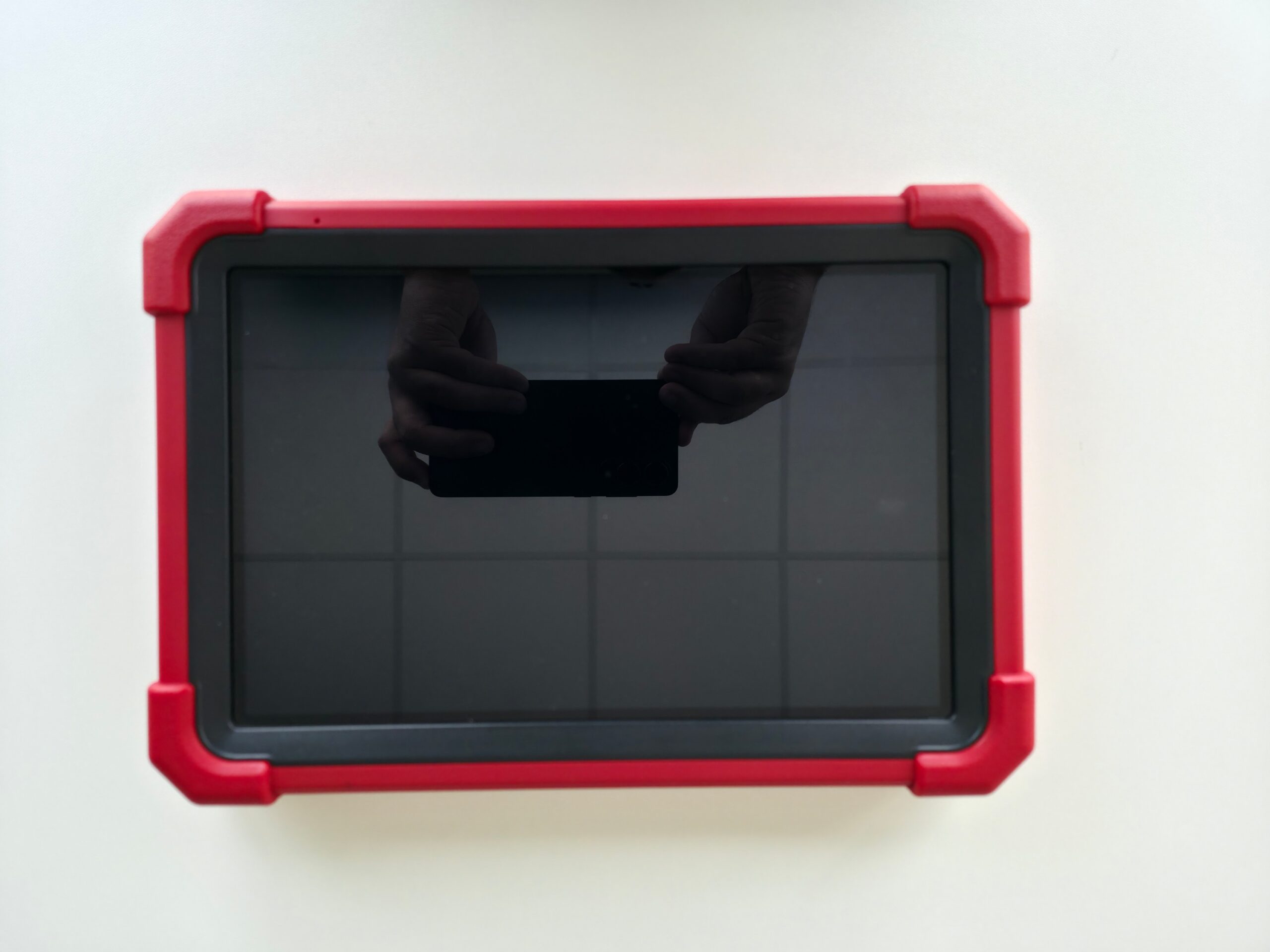
The X-431 PRO3 LINK HD is a professional Launch diagnostic tablet with a 10.1-inch Android display and the SmartLink C V2.0 VCI. It is built for light, medium and heavy-duty work: read and clear DTCs, live data, bi-directional tests, 21 service functions, and SmartLink remote diagnosis.
More than 120 diagnostic software packages are listed as currently available and continuously updated, with the X-431 FIX repair database. SmartLink C supports local and remote links, and the official J2534 Tool on a PC when OEM pass-through software is required.
Supplied in Saudi Arabia through Launch Gulf: 2-year warranty, 2 years of free updates, a free practical training course, and specialist technical support.
Put a documented car-and-truck diagnostic platform on the bay, with local training behind it.

Launch X-431 PRO3 LINK HD Arabic diagnostic scan tool for cars and trucks
A workshop loses time twice: once while the technician guesses which module stored the fault, and again when the same vehicle comes back because the warning lamp was cleared and nothing was actually fixed. The X-431 PRO3 LINK HD from LAUNCH TECH CO., LTD. is a 10.1-inch Android diagnostic tablet paired with the SmartLink C V2.0 VCI. The official product page positions it for commercial-vehicle repair and diagnostics, and states that it can diagnose light, medium and heavy-duty vehicles — the mix most Saudi shops actually see on one ramp.
Hardware figures, the 21 service functions, remote SmartLink diagnosis, the X-431 FIX database and the published vehicle-software list come from Launch’s official page at en.cnlaunch.com. SmartLink behaviour, J2534 pass-through, network rules and power warnings come from the SmartLink C V2.0 manual and from the J2534 Tool package hosted on the same product page. Local warranty and training are the Launch Gulf distributor offer, not extra sentences in the factory PDF.
What a professional scan tool is for
A diagnostic scan tool is not a magic lamp-reset button. It connects to the vehicle DLC, talks to control units, reads and clears DTCs, streams live data and — when the software allows — runs bi-directional tests so an actuator can be commanded while the technician watches the response. On a passenger car that may be a fan, a purge valve or a throttle unit. On a truck it is often aftertreatment, injectors, PTO or a speed limiter. Without that loop, the shop is guessing with expensive parts.
Shops that take both family cars and 24 V commercials pay twice if they buy two disconnected platforms and train two habits. PRO3 LINK HD is sold as one tablet plus SmartLink C V2.0 with a 9–36 V working range, which is the electrical reason the same VCI can sit on a sedan in the morning and a tractor unit in the afternoon.
What the X-431 PRO3 LINK HD is
Launch describes a diagnostic scan tool with solid hardware and a wide software service, used with SmartLink C V2.0 and designed for commercial-vehicle repairing and diagnostics. Features on the same page include modular design for faster system access, the X-431 FIX database, software that can be purchased later from the in-device Mall, a brand-new tablet with comprehensive heavy-duty coverage, diagnosis of light/medium/heavy-duty vehicles, USB, Bluetooth and Wi-Fi, and the basic set: read and clear DTCs, VIN scan, wireless connection, diagnostic record review and bi-directional tests. SmartLink remote diagnosis is supported. Optional ADAS HD calibration is listed as a way to increase revenue — optional, not assumed in every pack.
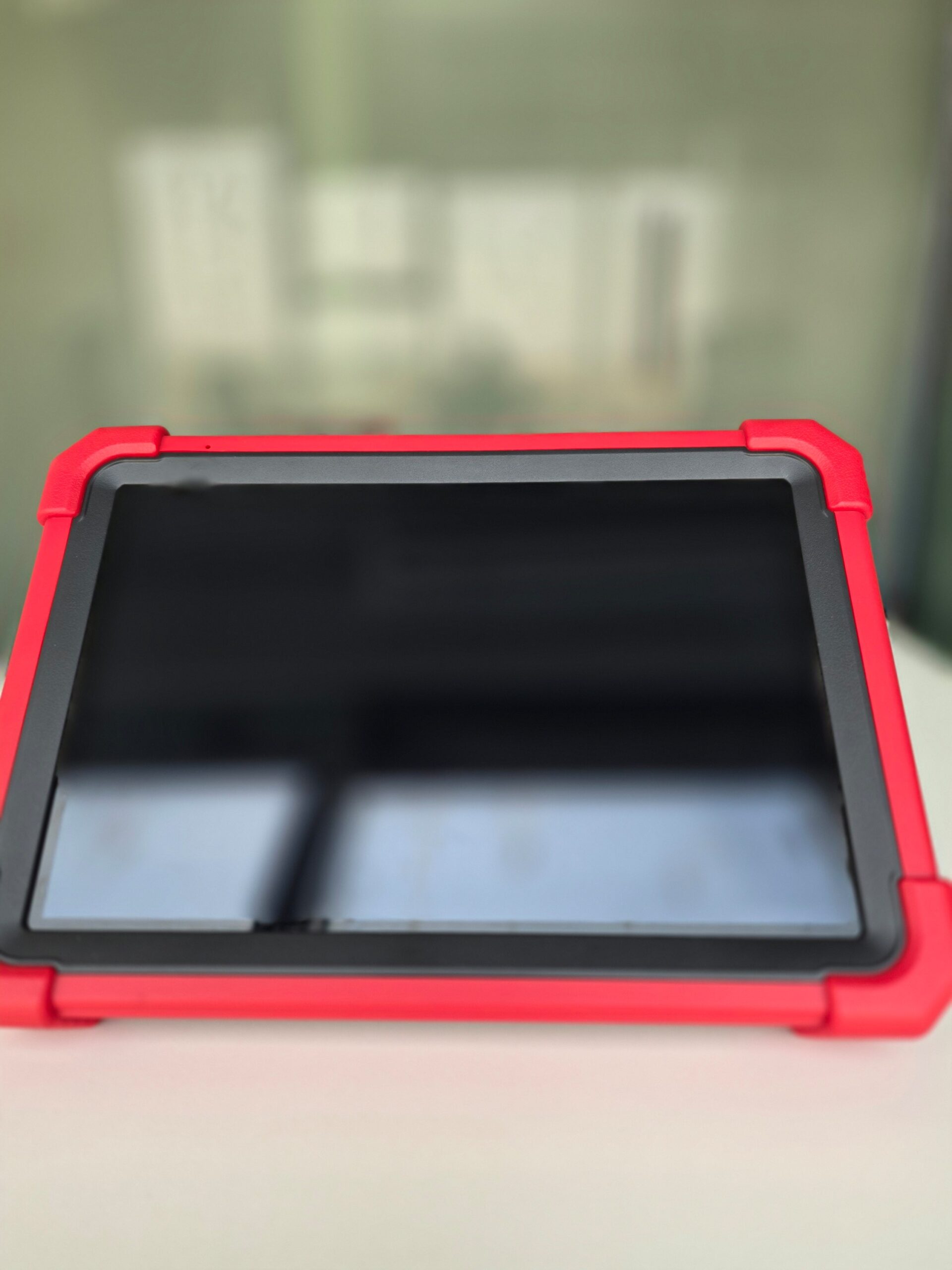
The tablet table: Android 10.0, 10.1-inch 1280×800 display, 2.0 GHz quad-core CPU, 4 GB RAM, 64 GB storage, 47.88 Wh battery (7.6 V, 6300 mAh), 8 MP rear camera, 2.4/5 GHz VCI connection, 274×190.5×40.5 mm, one Type-A and one Type-C port.
SmartLink C V2.0
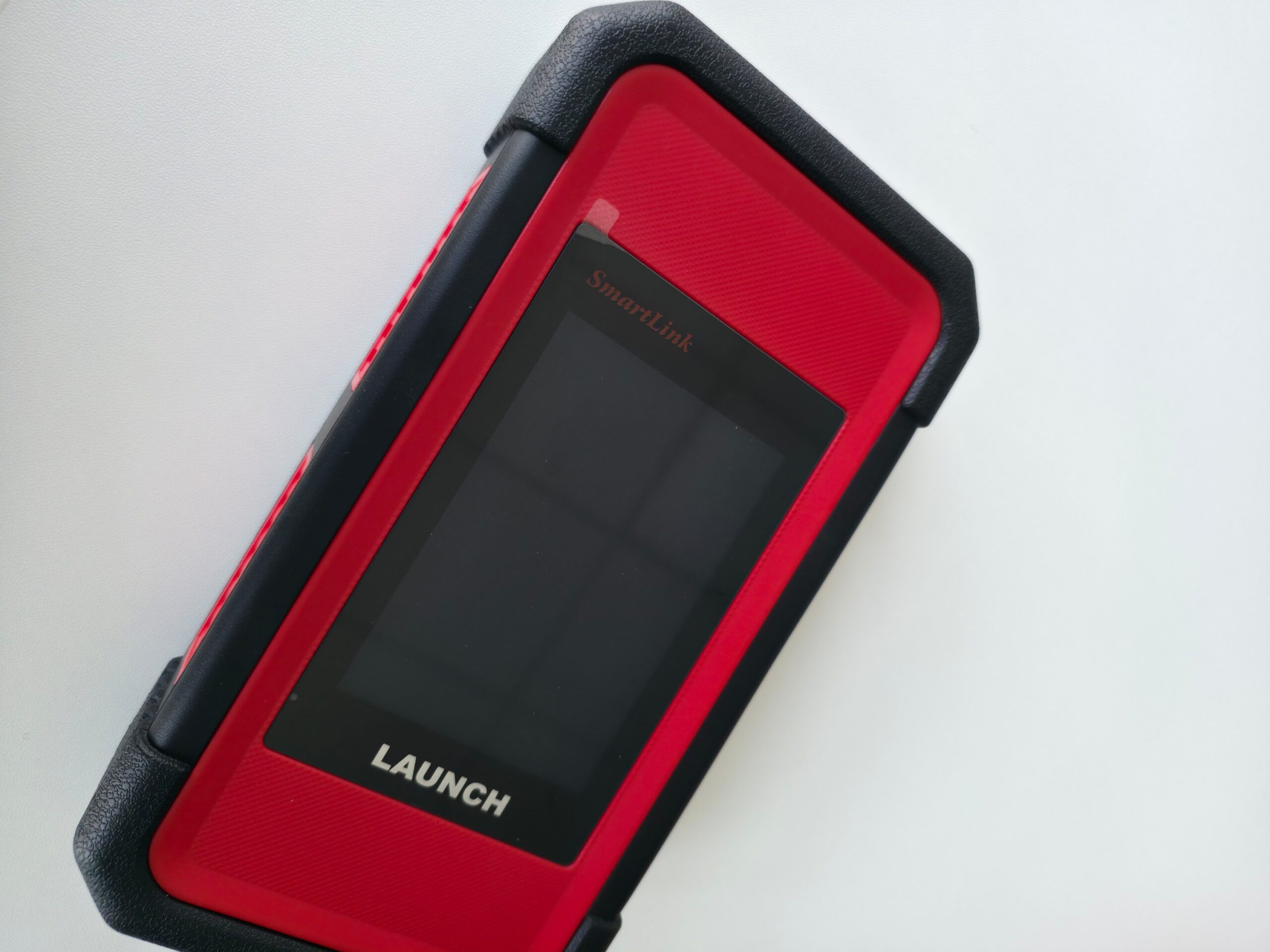
Official VCI table: 3.5-inch 320×480 display, 256 MB RAM, 8 GB storage, 2.4/5 GHz Wi-Fi, 9–36 V DC, Wi-Fi, Bluetooth and Ethernet, 200×110×47 mm. The user manual adds power consumption ≤ 6 W, operating temperature 0–50 °C, and three roles: local VCI with the Launch tablet, local J2534 pass-through to a PC, and remote J2534 / SmartLink work over a stable network.
Launch’s regional material lists CAN, CAN FD, DoIP and J2534. The SmartLink manual states the dongle applies to vehicles that comply with CAN/DoIP/CAN FD/J2534. Some older K-Line systems may not test; that is a documented limit, not a slogan to hide.
Power: the dongle normally takes supply from the vehicle DLC. Do not use DC-IN if it already powers up from the diagnostic socket. If DLC pins are damaged or voltage is insufficient, the manual allows an external supply with care. Daily use should assume vehicle power.
Why the machine makes money for a workshop
No guaranteed turnover. Margin comes from shorter diagnosis, billable service functions, fewer comebacks and the option to escalate a job by remote diagnosis instead of sending the customer away. A mixed bay that can close an oil-reset, a DPF regen attempt, injector coding and a brake reset on the same tool has four invoice lines instead of one vague “computer check”.
- Time: VIN scan and modular access cut hunting through menus. Selecting the vehicle factory area before the scan is described regionally as reducing diagnostic time.
- Mix: Light and heavy work on one platform reduces duplicate hardware and duplicate training.
- After the repair: The 21 published service functions are sellable jobs, not hidden extras.
- Escalation: SmartLink remote diagnosis and PC-side J2534 keep difficult ECUs from becoming “we cannot touch this”.
Launch Gulf’s two-year warranty, two-year updates and free practical training cut the dead week after unboxing. Updates keep the “120 diagnostic software packages currently available, continuously updated” claim usable rather than frozen on day one.
Fleet customers pay for a file they can reopen. Diagnostic record review is a listed basic function; use it. An Arabic-capable tablet in a Saudi shop is not a luxury — it is how the team actually adopts the tool instead of leaving it on charge.
Price the work in layers: a full electronic inspection, an actuator test when bi-directional is used, then named services (DPF, DEF, injector coding, speed limit, oil or brake reset). Add remote diagnosis only when a SmartLink order is actually posted. Transparency is what stops the lamp from coming back as unpaid goodwill.
Official specifications
Tablet
| Item | Value on Launch’s official page |
|---|---|
| OS | Android 10.0 |
| Display | 10.1 inches, 1280×800 |
| CPU | 2.0 GHz, quad-core |
| RAM | 4 GB |
| Storage | 64 GB |
| Battery | 47.88 Wh (7.6 V, 6300 mAh) |
| Camera | Rear 8 MP |
| VCI connection | 2.4 GHz / 5 GHz |
| Dimensions | 274×190.5×40.5 mm |
| Interfaces | Type-A ×1 and Type-C ×1 |
SmartLink C V2.0
| Item | Value on Launch’s official page |
|---|---|
| Display | 3.5 inches, 320×480 |
| RAM | 256 MB |
| Storage | 8 GB |
| Wi-Fi | 2.4 GHz / 5 GHz |
| Working voltage | 9 V DC to 36 V DC |
| Communication | Wi-Fi, Bluetooth and Ethernet |
| Dimensions | 200×110×47 mm |
How a job runs on the bay
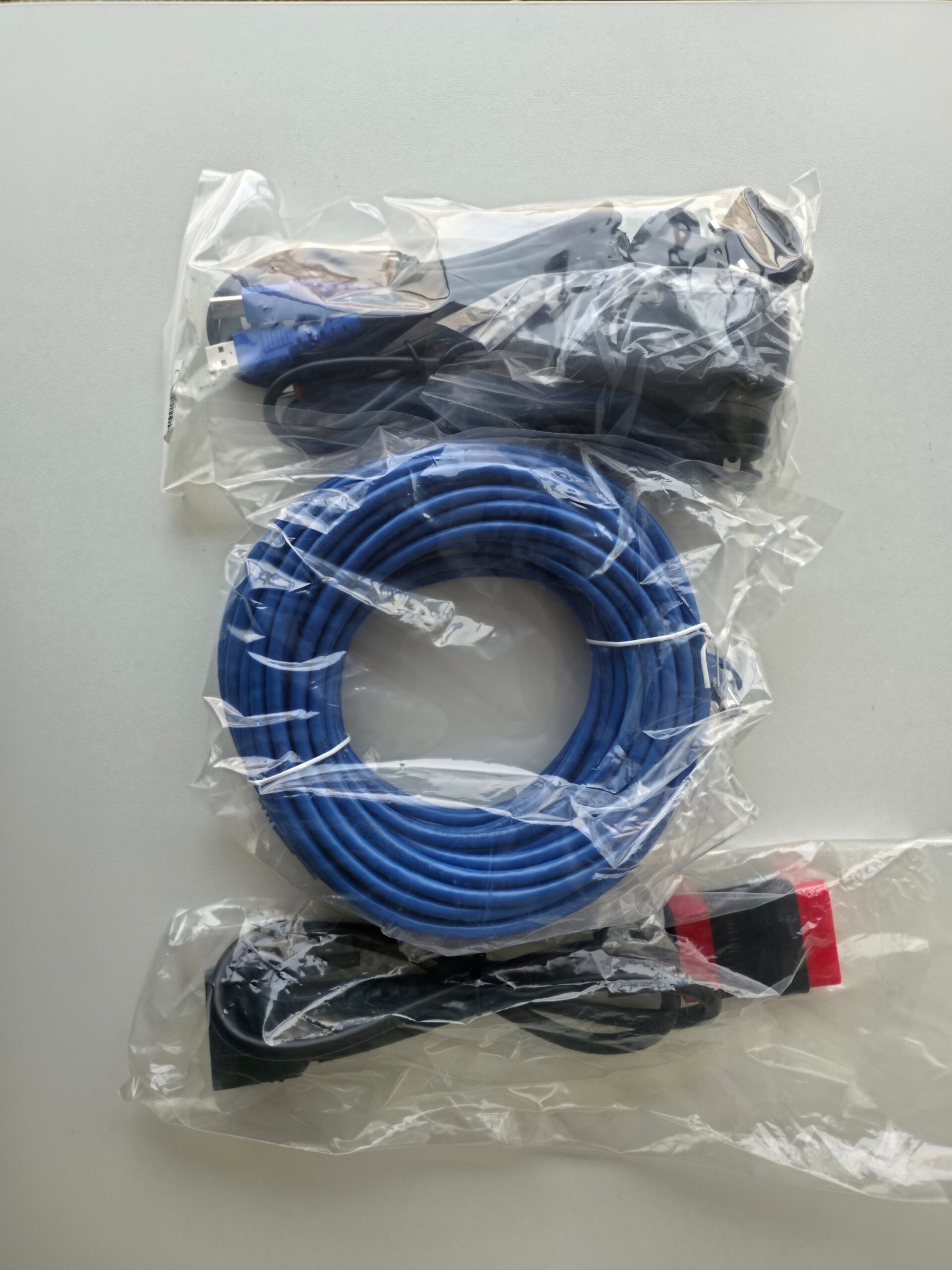
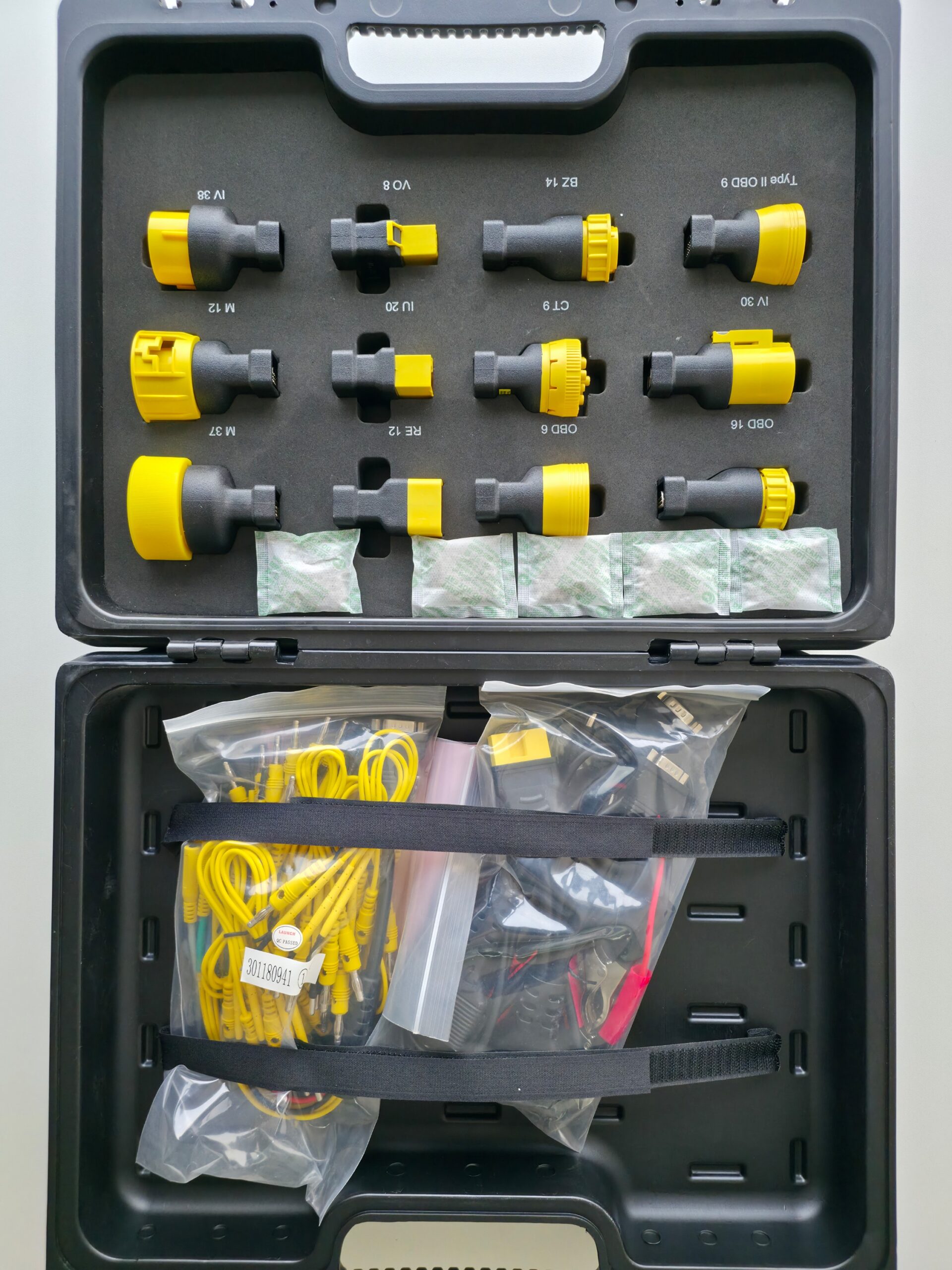
For remote sessions the manual says to turn ignition off, connect the included DB15-to-HD15 cable plus OBD-II adaptor to the DLC, then power from the vehicle. Passenger DLCs usually sit under the dash near the steering column; commercial DLCs are generally in the cab. The tablet joins on 2.4/5 GHz wireless or by cable when the shop is electrically noisy. Pick the vehicle, scan VIN when offered, read modules, save the record, run bi-directional tests before swapping parts, clear DTCs after a real repair, then read again.
Remote path: register at smartlink.x431.com, bind serial number and activation code from the password envelope, create an appointment. Broadband of 100 MB or above is required; a CAT-6 crossover into the LAN port is strongly recommended over Wi-Fi. Delay colours: green usable, yellow unstable, red unsuitable or disconnected. Do not unplug vehicle or network mid-session. Each dongle accepts one remote operation at a time. After the job, unplug the crossover cable.
Firewall-heavy office networks add delay. The manual prefers operator-installed internet without aggressive firewalls. If the screen shows poor delay, fix the network before blaming the VCI.
The 21 service functions in workshop language
Launch lists these twenty-one functions. The notes below translate them into jobs, without adding unpublished capabilities:
- DPF regen — diesel particulate filter service under software conditions, not a random button.
- Parameter setting — after a module or configuration change.
- Cylinder deactivation / compression — a check before tearing a truck engine down.
- Oil maintenance reset — the daily lamp after a service.
- Injector coding — a new diesel injector without coding is a comeback waiting to happen.
- Speed limit adjustment — fleet policy, within what the vehicle software allows.
- Idle speed adjustment — after work that leaves an unstable idle.
- Fan calibration — cooling complaints after a fan or module swap.
- Remote throttle — commanded RPM for tests when the software supports it.
- Urea drive (DEF) — aftertreatment pump and quality checks, not just filling the tank.
- Deep clearing of DTCs — some modules ignore a shallow clear.
- Flash data conversion — a software/data path on supported units, follow the on-screen procedure.
- Brake reset — lamps that remain after calipers or sensors.
- Transmission replacement — adaptation after a gearbox swap when the package supports it.
- NOx sensor reset — common after exhaust work.
- Aftertreatment — SCR/DPF/exhaust sensor group on commercials.
- Immobilizer — no-start after battery or keys, within program limits.
- Suspension — air-suspension height after repairs.
- Odometer — listed by Launch; use only within law and shop ethics.
- Language change — vehicle menus where supported.
- PTO change — power take-off setup on working trucks.
Coverage still follows the licensed software package for that brand and year. Confirm support before promising a fleet manager a regen.
Vehicle coverage
The official page names a long HD list — Cummins, Detroit, Volvo HD, Mercedes-Benz HD, Man, Scania, Isuzu HD, Hino, Iveco, Kenworth, Peterbilt, Freightliner, Mack, Paccar, Allison, ZF HD, Wabco/Knorr/Bendix ABS, plus construction and ag names such as Caterpillar, JCB, John Deere, CASE, Hitachi, buses such as Setra and Neoplan, TRAILER HD, and more. “120 diagnostic software packages are available currently, which is continuously updated.” Treat the list as examples. Actual model support is confirmed in the software after selection. Extra packages can be bought in the Mall at any time — plan licences around the fleets you actually see.
Regional Launch copy adds trucks, buses and coaches, construction vehicles, agricultural vehicles, trailers and vessels as commercial applications.
X-431 FIX, toolbox and optional ADAS HD
X-431 FIX is the repair-information layer after the code: wiring diagrams and illustrations in regional Launch material, plus repair information and training videos. It guides; a meter on the vehicle still decides.
Official toolbox add-ons: oscilloscope, sensorbox, battery tester, videoscope and Wi-Fi printer. They are expansion paths, not assumed in every carton. ADAS HD calibration is optional revenue. Leave it out of the first business case if you do not sell that service yet.
J2534 pass-through
The product page hosts J2534 Tool 20251114. Install Launch J2534 Tool from Launch’s site; the package includes the driver and the operation guide. After setup, a desktop icon is ready.
Local: USB from SmartLink C to the PC, run the vehicle-maker application, choose “LAUNCH J2534” when asked to pick a VCI. The guide notes the device can also act as a VCI to read and clear DTCs and stream live data with the maker’s application.
Remote: stable internet, OEM software on the PC, J2534 Tool installed. After the dongle is on the DLC and the network and in super remote diagnosis mode, follow the associated documents. Do not drop the link during online reprogramming.
Upgrade: USB to PC, open Launch J2534 Tool, tap Upgrade. Do not run the vehicle-maker software during the upgrade. Use the Log switch if you need a trace.
J2534 coverage is not the same as the tablet brand list. It depends on whether the OEM application supports J2534 and which protocols the current Launch J2534 tool covers. Reference applications in the guide include Toyota Techstream, Honda HDS, Volvo VIDA, VW ODIS, BMW ISTA, GM GDS2, Ford IDS/FDRS, Chrysler WiTech, Subaru SSM4, Mercedes Xentry and Land Rover/Jaguar SDD. Factory subscriptions are separate from the scan-tool price. Listed protocols include CAN, ISO15765, ISO14230, ISO9141, J1850 and FD_CAN families.
Using the tool on passenger cars
These are typical bay paths built from published functions, not claims that a named VIN was tested in our lab.
Engine lamp after cheap parts
Scan VIN, read present versus stored DTCs, watch fuel trim and sensor voltages, command an actuator if bi-directional is offered, repair, deep-clear, read again. Hand the customer a session record instead of “we cleared it”.
No-start after a battery
Immobilizer is on the service list. Check system voltage on the VCI screen while cranking. If the job exceeds the shift’s skill, post a SmartLink request rather than towing to another city.
Brake lamp after pads
Brake reset exists so the assistance lamp is not left as “just the computer”.
Imported menus
Language change is listed. Use it where the vehicle package allows — a short, visible win.
Using the tool on trucks and equipment
Derate from DPF
Read aftertreatment codes and live differential pressure and temperatures. Run regen only if conditions are met. The tool will not resurrect a melted filter; honest diagnosis prevents a failed regen ten kilometres later.
Smoke after an injector
Code the injectors. Bill it. That single function often pays for training time.
NOx after exhaust work
NOx reset, aftertreatment and urea drive are a chain: tank, pump, quality, sensor, module. Follow it instead of replacing the first part in the parts book.
Fleet speed limit and municipal PTO
Speed limit and PTO change turn the shop into a fleet partner, not only an oil bay.
Coach air suspension
Height calibration after a bag or sensor is a documented service function.
Site equipment
Named coverage such as Caterpillar, JCB, Hitachi and John Deere, plus 9–36 V, is why a mobile truck can carry one tablet. Use wireless when the cab is tight; use USB when the steel shed kills radio.
A full workshop day
Charge the tablet overnight. 6300 mAh is enough for a mixed shift if brightness is not left at maximum. Update software on shop Wi-Fi before the first customer. First job: passenger lamp, fifteen to twenty minutes if the fault is direct, save by plate. Second: truck oil reset and speed limit, add invoice lines before keys go back. Third: DPF, schedule the regen lane; if it is beyond the team, SmartLink instead of a wasted tomorrow. End of day: review records, J2534 upgrade if offered, clean cable pins. Never cut power during firmware repair.
Launch Gulf training is meant to install this rhythm in week one, not after a month of trial on paying customers.
When remote diagnosis is worth it
smartlink.x431.com binds a SmartLink C subscriber to a SmartLink B provider. Orders go out only after acceptance. The C screen shows connection code, VIN, voltage and traffic. Red delay: fix the network. Online programming needs an unbroken link; a drop mid-write can leave a no-start. Prefer cable, stable voltage, ignition ON or START as the screen requires.
Small-town shops buy expertise by the session. Large shops cover night shifts when the specialist works mornings.
Who it is for
- General repair shops that need Arabic-capable car and truck diagnosis on one platform.
- Fleet centres with repeating DPF, DEF and injector work.
- Heavy and agricultural shops within the published coverage.
- Centres that will add OEM pass-through on a PC later.
- Shops that want remote diagnosis as an emergency lane.
It is for trained technicians, not home use. Without service-function training it becomes an expensive code reader — which is why the local course exists.
Category comparison
| Topic | X-431 PRO3 LINK HD | Budget OBD reader | Truck-only tool | Car-only tool |
|---|---|---|---|---|
| Light + medium + heavy | Stated by Launch | Usually passenger OBD | Usually heavy | Usually cars |
| VCI voltage | 9–36 V | Not confirmed | Not confirmed | Often 12 V |
| Bi-directional | Yes | Rare | Not confirmed | Not confirmed |
| 21 HD service functions | Official list | No | Not confirmed | Incomplete for trucks |
| SmartLink remote | Yes | No | Not confirmed | Not confirmed |
| Official J2534 package | On the product page | No | Not confirmed | Not confirmed |
| X-431 FIX | Yes | No | Not confirmed | Not confirmed |
| Local support | Launch Gulf: 2-year warranty and training | Not confirmed | Not confirmed | Not confirmed |
Tips
- Check the packing list; activate with serial and code.
- Update tablet and VCI before the first paid job.
- Seat the DLC fully; bent pins look like a dead tool.
- Watch system voltage on the VCI during long idling truck tests.
- Use cable for remote and online programming.
- Do not run OEM software during a J2534 upgrade.
- Save every session by plate and date.
- Confirm software support before promising DPF or coding.
Mistakes
- Clearing a lamp without a repair.
- Forcing DPF regen on a destroyed filter.
- Fitting an injector without coding.
- Dropping internet mid-remote session.
- Using DC-IN while DLC power is already good.
- Cutting power during firmware repair.
- Assuming J2534 includes OEM website subscriptions.
Safety
Hold the vehicle, ventilate during DPF regen, never leave a high-idle truck unattended. The manual includes FCC Class A statements; keep distance from sensitive equipment as instructed. The scan tool does not replace high-voltage hybrid procedures or lift lockout. It is a data tool. The mechanical decision stays with the technician.
Why Launch, and why Launch Gulf
Launch publishes a specification table, a download list, a VCI manual and the SmartLink platform. A documented tool is easier to run than an unbranded box. Arabic operation in this listing is how a local team will actually use it every day.
Buying through Launch Gulf, the exclusive distributor in Saudi Arabia, includes:
- 2-year warranty
- Free updates for two years
- A free practical training course
- Fast, specialist support for setup and faults
- After-sales support from an official channel
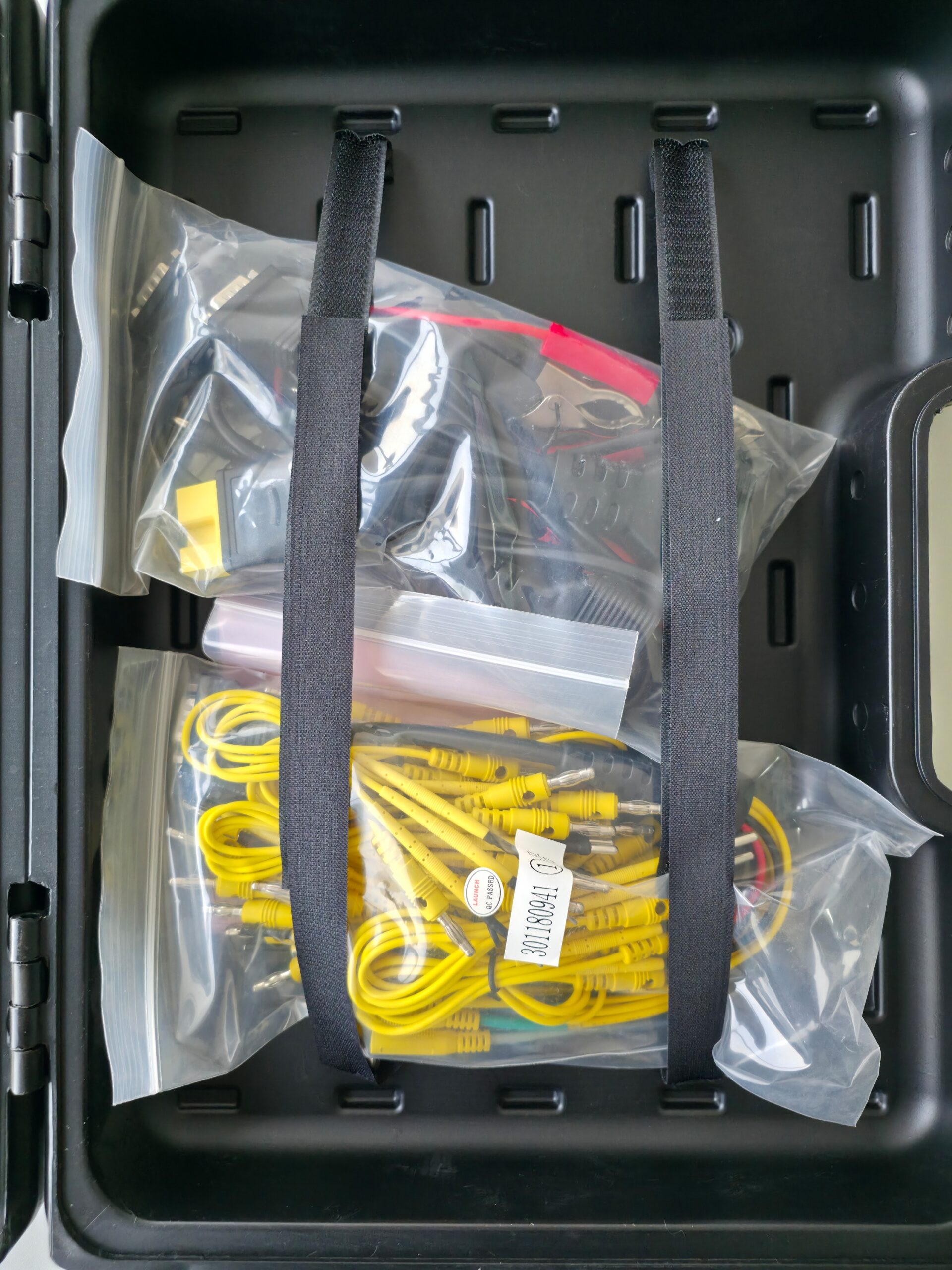
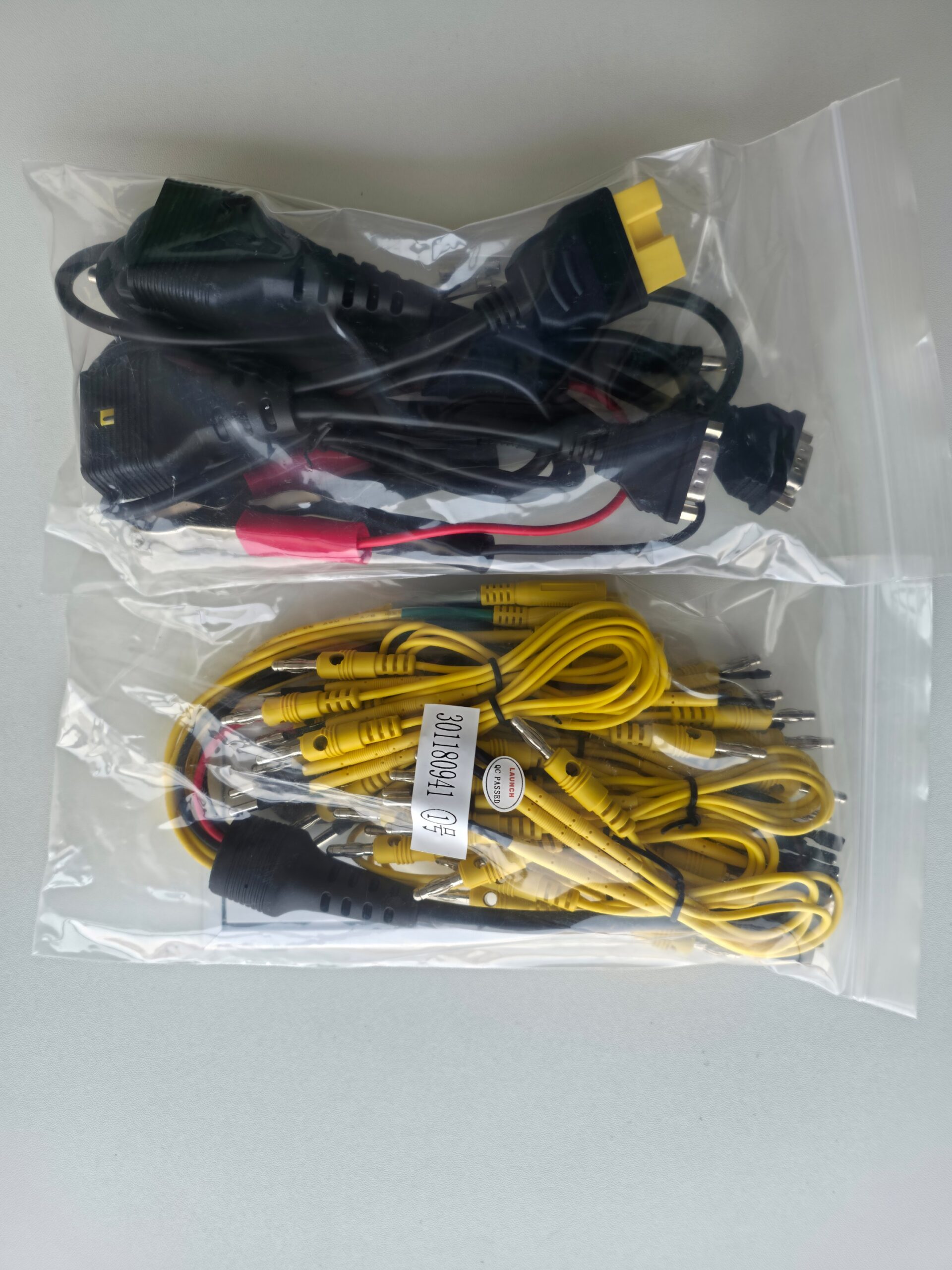
You are buying the tablet, the VCI, software licensing, training, support and updates — not a screen in a foam tray.
Questions before you buy
Cars and trucks on one unit?
Yes. Launch states light, medium and heavy-duty diagnosis, with a long HD software list and 9–36 V on the VCI.
Is ADAS HD included?
It is optional revenue on the official page. Do not assume it in every configuration.
Do I need a PC for J2534?
Yes for OEM pass-through. Daily scanning runs on the tablet with SmartLink as VCI.
Is shop Wi-Fi enough for remote programming?
The manual prefers wired ethernet and 100 MB+ class service, and it colour-codes delay. Do not trust a congested workshop hotspot.
Price and photos
Launch Gulf will add price and product photos on this draft before publish. Pricing is not in the factory specification table or the J2534 guide.
Summary
If you need a professional Arabic diagnostic scan tool that also covers trucks, the X-431 PRO3 LINK HD — per Launch — is an Android 10 10.1-inch tablet with SmartLink C V2.0, read/clear DTCs, bi-directional tests, 21 service functions, remote diagnosis, a J2534 tool hosted on the product page, X-431 FIX, and more than 120 software packages that continue to update.
Launch Gulf adds two years of warranty, training and support. Add photos and price, then review this draft before you publish.
Put car and truck diagnosis on one documented platform, and sell the repair — not a cleared warning lamp.
30 reviews for Launch X-431 PRO3 LINK HD Arabic Diagnostic Scan Tool | Cars & Trucks
الأسئلة الشائعة
Workshop equipment that connects to the vehicle DLC to read modules, DTCs and live data, and to run tests and service functions when the software allows. It does not replace mechanical skill or a multimeter.
A Launch diagnostic platform: an Android 10 tablet with a 10.1-inch display plus SmartLink C V2.0. The official page designs it for commercial-vehicle work and states diagnosis of light, medium and heavy-duty vehicles.
This listing is for Saudi workshops that need a team-readable Arabic workflow. Exact language coverage inside each OEM package follows the software after updates.
Yes. Launch states light, medium and heavy-duty diagnosis. The VCI working voltage is 9–36 V, with a long list of HD software packages.
Android 10, 10.1-inch 1280×800, 2.0 GHz quad-core, 4 GB RAM, 64 GB storage, 47.88 Wh (6300 mAh) battery, 8 MP rear camera, Type-A and Type-C ports.
3.5-inch 320×480 display, 256 MB RAM, 8 GB storage, 2.4/5 GHz Wi-Fi, 9–36 V DC, Wi-Fi, Bluetooth and Ethernet, 200×110×47 mm.
Read and clear DTCs, VIN scan, wireless connection, diagnostic record review, bi-directional tests, and SmartLink remote diagnosis.
From the official page: DPF regen, parameter setting, cylinder deactivation/compression, oil reset, injector coding, speed limit, idle speed, fan calibration, remote throttle, DEF/urea drive, deep DTC clear, flash data conversion, brake reset, transmission replacement, NOx reset, aftertreatment, immobilizer, suspension, odometer, language change and PTO change.
Launch: 120 diagnostic software packages currently available and continuously updated. Extra software can be purchased in the Mall. Confirm the exact model in the installed package.
A repair-assistance database after diagnosis. Regional Launch material mentions wiring diagrams, illustrations and repair information. It guides; it does not replace measurement on the vehicle.
Yes as a path. The product page hosts the J2534 Tool download. Install it on a PC and select LAUNCH J2534 in the OEM application. Factory website subscriptions are separate.
No. Local diagnosis uses the tablet with SmartLink as VCI. A PC is for OEM pass-through with the maker’s software.
Register at smartlink.x431.com, bind the serial number, then create an appointment. The manual asks for 100 MB-class broadband and prefers a network cable. Do not disconnect vehicle or network during the session.
Launch lists ADAS HD calibration as an optional way to increase revenue. Do not assume it in every configuration.
Purchasing through Launch Gulf, the exclusive distributor in Saudi Arabia, includes a local 2-year warranty.
Yes. Launch Gulf’s package includes two years of free updates, a free practical training course, and specialist technical support.
Yes within published coverage: trucks, buses and equipment, with examples such as Cummins, Volvo HD, Man and Scania, plus DPF, DEF and injector-coding service functions.
The official toolbox lists optional modules such as oscilloscope, sensorbox, battery tester, videoscope and Wi-Fi printer.
Do not use DC-IN if the dongle already runs from the DLC. Do not cut power during firmware repair. Do not run OEM software during a J2534 upgrade. Watch network-delay colour in remote mode.
Trained technicians in car and truck shops and fleet centres. It is not a home device. Local training exists so the tablet does not stay a code reader.


Trackline Workshop – Riyadh –
We scanned a passenger car in the morning and a tractor unit after lunch on the same platform. Saving the session by plate helped when the lamp came back.
Quick Truck Centre – Jeddah –
DPF regen is now its own invoice line after training. The point is meeting temperature conditions, not stabbing a button.
Gulf Engines Workshop – Dammam –
Injector coding after a replacement stopped a misfire we would have blamed on the pump. It saved a comeback.
Arabic Scan Centre – Khobar –
Arabic screens cut time for new staff. We stopped translating English menus in front of the customer.
Highway Workshop – Makkah –
A bi-directional fan test proved the actuator moved. The fault was the circuit, not the part already replaced.
Madinah Fleet Centre –
Speed-limit setting after service is a regular fleet request. We now have a path instead of sending them to a dealer.
Heavy Height Workshop – Taif –
9–36 V removed the worry on 24 V trucks. The VCI ran from the cab DLC without an external supply experiment.
South Diagnostics – Abha –
SmartLink remote saved an immobilizer case after midnight instead of promising tomorrow.
Coast Truck Workshop – Yanbu –
NOx codes after exhaust work closed with a reset, not a second sensor. The training sequence made that obvious.
Qassim Diagnostic Centre – Buraidah –
Buying an extra package from the in-device Mall was clearer than waiting for another tool for a different fleet.
Quick Service Workshop – Khamis Mushait –
VIN scan cut model picking. Mistakes dropped once we selected the factory area before the scan.
Jubail Heavy Engines –
Urea drive showed a pump issue, not an empty tank. The report convinced the customer more than talk.
Najd Scan Workshop – Hail –
A network cable for remote sessions was more stable than busy shop Wi-Fi, as the trainer warned.
North Truck Centre – Tabuk –
A two-year warranty matters. We know who to call if the VCI stops months later.
Al-Ahsa Electronic Scan –
Oil and brake resets are small daily lines that add up without blocking the ramp.
Qatif Commercial Vehicles –
Named coverage such as Cummins helped on site trucks. We still confirm the model in software before we promise.
Najran Diagnostics Workshop –
Updates in the first two years reduce worry about new models arriving early.
Jazan Truck Scan Centre –
We used the J2534 path on a PC later with dealer software. Installing Launch’s tool was clear after the walkthrough.
AlUla Motor Workshop –
FIX pointed to a diagram before we opened a harness. Measurement on the vehicle stayed the final call.
Kharj Scan Centre –
PTO after a municipal pump install is now a priced service. The tool is more than a lamp reader.
Naseem Diagnostics – Riyadh –
Ease of use improved after a week of training. The team saves the record before handing back keys.
Hamra Truck Centre – Jeddah –
Hands-on training stopped a regen on a destroyed filter. That mistake would have been blamed on the shop.
Industrial Scan Shop – Riyadh –
Wireless freed the technician in a tight cab; USB stays for days when radio is poor.
Safa Vehicle Centre – Jeddah –
We added service lines to the price list after commissioning. Customers understand DPF and injector coding more easily.
Aziziyah Scan Workshop – Makkah –
Delay colour on the SmartLink screen is our rule: no remote session when it is red.
Noor Engines – Dammam –
Build quality is fine for daily work. Cleaning cable pins is now weekly maintenance.
Corniche Scan Workshop – Khobar –
An old record for the same plate showed the code returned after a shallow clear; we used deep clear after the real repair.
Safety Truck Centre – Madinah –
Ventilating the bay during DPF regen is a safety step, not optional advice.
Experts Diagnostics – Qassim –
Buying through an exclusive distributor meant activation and training. First commissioning was not a live customer experiment.
Model Workshop – Riyadh –
After months the sequence is still read, test, service, report. That stability matters more than brand-count slogans.