


Best Truck Diagnostic and Programming Tools 2027

A modern haulage truck is no longer a machine you diagnose by ear alone. Controllers watch injection, the particulate filter, DEF, brakes, the gearbox, suspension and the speed limiter. When a lamp comes on or the fleet derates, daily revenue stops — and a technician wastes hours if parts come off before the network is read. A shop that wants a correct maintenance decision needs a truck diagnostic tool built for commercial vehicles, not a passenger OBD reader.
That is why buyers search for the best truck diagnostic and programming tools 2027: not for a flashy name, but for a tool that reads systems, shows live data, runs service or programming paths when supported, and shortens downtime on the ramp. This guide explains tool levels, buying criteria, then compares the products actually listed in Launch Saudi Arabia’s truck diagnostic and programming category — without inventing models or copying one unit’s specs onto another.
What is a truck diagnostic and programming tool?
A truck scan tool connects to the cab data link, then shows what the modules stored: DTCs, live data, ECU info, and sometimes service or programming paths. The goal is not “clear the lamp.” It is to learn which system stored the fault, whether it is present or history, what the sensors read under load, and whether you can test an actuator or run a service before you strip parts.
Not every tool in the market sits in the same class. Knowing the levels saves money and stops a passenger scanner being forced onto a 24 V truck.
- Basic code reader: reads some engine codes and clears them, usually on light OBD. Fine for a quick hint; weak against full commercial systems.
- Professional diagnostic tool: multi-system coverage, live data, reports and service functions — the daily path for most truck shops.
- Heavy-duty tool: aimed at commercial/HD protocols and diesel jobs such as DPF and DEF within what the software offers.
- Active Tests: command actuators from the screen when supported. Not every truck tool offers this.
- Programming-capable tool: goes beyond reading to coding, adaptation or ECU programming on published paths. Programming is not the same as clearing a code.
In short: scanning answers “what happened?”, service/adaptation answers “how do I close the job after the repair?”, programming answers “how do I update or match the module to the vehicle?” Mixing the three is the biggest buying mistake in diesel shops.
Why workshops need truck diagnostic and programming tools
First: faster fault finding. System scans narrow the guess before a filter or pump is replaced on a hunch.
Second: reading and explaining DTCs. A code is a start, not a verdict. A good tool lets you move from the code into live data.
Third: live data. Temperature, pressure, ratios and voltage under load separate a live fault from an old memory.
Fourth: component tests and service functions. When Active Tests or jobs such as DPF, injector coding and oil reset are supported, the visit becomes a clear invoice line.
Fifth: less fleet downtime. Every hour a truck sits is delayed freight. Methodical diagnosis cuts comebacks; supported programming or coding closes jobs that used to go to a dealer.
How to choose the best truck diagnostic and programming tool in 2027
“2027” here is a search year and a current buying decision — not invented future specs. Choose for the work you do today, with room for updates.
- Truck types: light haul, heavy, coaches, plant? Voltage, adaptors and sockets differ.
- Makes and models: a Mercedes/Volvo/MAN fleet is not a mixed walk-in yard. Confirm coverage on screen or with support — not with an “all trucks” slogan.
- Systems needed: engine only, or brakes, gearbox and aftertreatment too?
- Scan only or scan and program? If you need ECU programming or OEM paths, do not buy a service reader and expect full PassThru.
- Active Tests and live data: the gap between a text reader and a tool that proves actuator response.
- Service functions: DPF, DEF, injector coding, speed limit, oil — match your complaint mix.
- Updates: new-model coverage follows software, not the carton on day one.
- HD support: confirm commercial/HD classification, or that a commercial pack is enabled if optional.
- Usability and support: training, UI language, local support, clear warranty.
- Return, not price alone: a cheap tool that brings the truck back tomorrow costs more than one that closes the file in one visit.
Best truck diagnostic and programming tools 2027
The comparison below uses four published products in Launch Saudi Arabia’s truck diagnostic and programming category. No outside brands are added, and CRP 123S HD, PRO3 LINK HD, PRO3 HD and PAD 9 are kept separate.
1) LAUNCH Creader Professional 123S HD heavy-duty truck scan tool

What it is: a compact Android tool (CRP 123S HD) for commercial and heavy vehicles: read/clear DTCs, graph live data, vehicle info, seven published service functions, report review and record playback, plus tech-to-tech remote from software V2.12. Official hardware includes a 3.97-inch display, Android 8.1, 2+16 GB, 1.3 GHz CPU, 3000 mAh battery, 2.4 GHz Wi-Fi updates and weight under 500 g.
Who it fits: light and heavy transport shops that need daily scanning and common diesel services (DPF, DEF, injector coding, speed limit when shown on screen) without a full large tablet kit.
Strength: clear commercial brief, easy to carry on the yard, seven documented HD services, updates without a desk PC every morning.
When it is logical: when the core job is truck system reading and published services — not wide OEM PassThru or free bi-directional tests this model does not claim.
When you may need more: mixed car+truck bays, wide bi-directional testing, or OEM PassThru — move to an X-431 tablet class.
Shop level: strong for small/medium diesel-truck shops and mobile techs; fleets use it as a quick scan point, not a central programming platform.
View in store → LAUNCH CRP 123S HD truck diagnostic tool
2) Launch X-431 PRO3 LINK HD for cars and trucks

What it is: a 10.1-inch Android 10 tablet with SmartLink C V2.0. Launch describes it for commercial repair while enabling light, medium and heavy-duty diagnosis. Basics include read/clear DTCs, VIN scan, wireless link, diagnostic records and bi-directional tests, plus SmartLink remote. The VCI runs 9–36 V for 24 V trucks. Launch also lists twenty-one service functions and a J2534 path via the official Launch tool on a PC when OEM software is required.
Who it fits: mixed shops scanning cars in the morning and trucks in the afternoon; fleet centres that need actuator tests and DPF/DEF/injector services; teams that want remote help or later PassThru.
Strength: one documented platform for cars and trucks, Active Tests, wide services, SmartLink/J2534 within published docs.
When it is logical: you want deeper truck diagnostics than a compact handheld without jumping straight to the largest tablet.
When you may need more: daily deep online/offline programming and a larger screen with new-energy paths — see PAD 9. Pure heavy programming/repair without passenger work — also weigh PRO3 HD.
Shop level: medium to large shops and fleets with mixed internal workshops.
View in store → Launch X-431 PRO3 LINK HD
3) LAUNCH X-431 PRO3 HD truck programming and repair tool
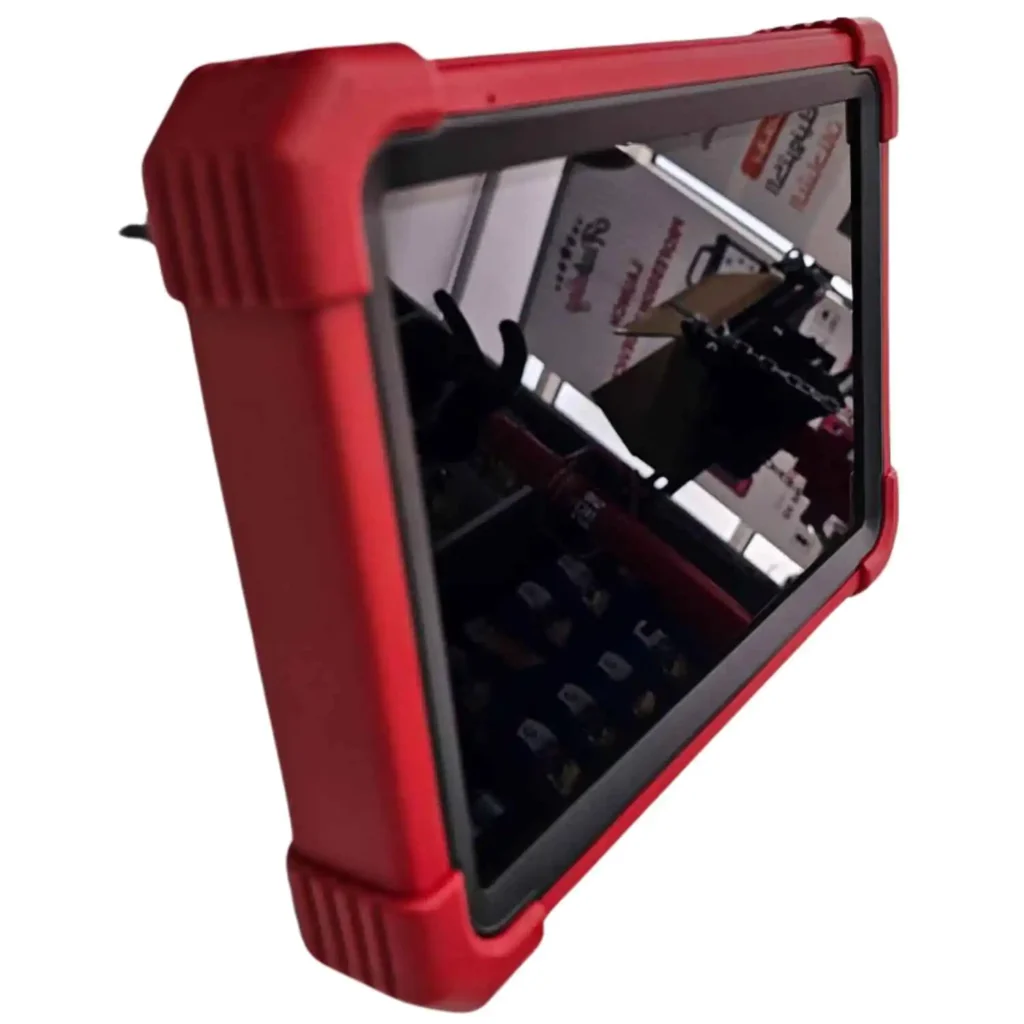
What it is: listed for programming and repair of trucks and heavy vehicles: diagnosis of systems such as engine, brakes, exhaust and electrics, with advanced programming for heavy vehicles per the product page. Multi-brand commercial coverage is described (including makes such as Mercedes-Benz, MAN, Volvo, Daimler and others in page copy), with ECU-related programming and Launch Gulf updates/support.
Who it fits: truck and heavy-transport centres that need scan work tied to programming and repair — not code reading alone.
Strength: clear positioning as a truck programming and repair tool.
When it is logical: most invoices are heavy coding/programming and multi-brand commercial fleets.
When another tool may fit better: if you need one documented cars+trucks platform with SmartLink C V2.0 and detailed bi-directional work as on PRO3 LINK HD, or a larger tablet with wide online/offline ECU programming as on PAD 9 — match need, not the name only.
Shop level: medium to advanced truck centres and heavy fleets.
View in store → LAUNCH X-431 PRO3 HD truck programming tool
4) Launch X-431 PAD 9

What it is: an advanced diagnostic and programming tablet: Android 13, 2.0 GHz octa-core, 13.6-inch 2560×1600 display, 9360 mAh battery, SmartLink C V3.0 VCI. Wide passenger coverage; commercial vehicles are listed as optional, as are new-energy vehicles. Strong on ECU programming (online and offline/J2534), advanced coding/adaptation, Active Tests, SmartLink remote, and hybrid/EV diagnosis per the product page.
Who it fits: large centres combining modern cars (including hybrid/EV) with deep programming, with room to enable the commercial pack when needed.
Strength: strong hardware, large screen, ECU programming and modern protocols (J2534, CAN FD, DoIP in page copy), SmartLink path.
When it is logical: advanced programming and passenger/new-energy work are daily, and trucks are an enabled extra path — not the other way around.
When it may not be enough alone: a pure truck shop that wants HD ready without relying on an optional commercial pack may prefer CRP 123S HD, PRO3 LINK HD or PRO3 HD by programming depth.
Shop level: advanced centres and large multi-discipline workshops.
View in store → Launch X-431 PAD 9
Comparison table
| Tool | Class | Use | Diagnostics | Advanced functions | Programming | Best for |
|---|---|---|---|---|---|---|
| CRP 123S HD | Handheld Heavy Duty | Trucks / commercial | DTCs + live data + reports | 7 services (DPF, DEF, oil, injector coding…) | Coding inside service functions when shown | Small/medium diesel shops, mobile techs |
| X-431 PRO3 LINK HD | Tablet + SmartLink C V2.0 | Light / medium / heavy | Full scan with bi-directional tests | 21 published service functions | J2534 with OEM software + service/coding | Mixed shops and fleets |
| X-431 PRO3 HD | Truck programming & repair | Heavy trucks | Engine, brakes, exhaust, electrics | Heavy maintenance paths by software | ECU / heavy programming per product page | Specialist truck centres |
| X-431 PAD 9 | Advanced tablet + SmartLink C V3.0 | Passenger (+ commercial optional, NEV optional) | Wide diagnosis + Active Tests | Advanced coding and services | Online/offline ECU + J2534 | Large advanced centres |
If a function is not confirmed for a model in its source, it is not assumed. Real compatibility still depends on make, year and software build.
Scan versus programming
- Read DTC: show stored fault codes.
- Clear DTC: remove codes after a real repair — not first to hide evidence.
- Live Data: live sensor and module values.
- Active Test: command an actuator and watch response when supported.
- Reset: service resets (oil reminders, etc.) after maintenance.
- Adaptation / Calibration: relearn or calibrate after a part change.
- Coding: enter parameters (for example injector coding) so the module matches the vehicle.
- ECU Programming: write software to a module — higher risk; online paths need stable power and network.
Tip: do not buy a “programming tool” if you only need daily scan and DPF. Do not buy a service reader if you write OEM firmware every day.
Functions buyers should look for
- Read/clear DTCs: baseline on all four tools above.
- Live Data: clear on CRP 123S HD, PRO3 LINK HD and PAD 9; part of serious HD diagnosis generally.
- Active Tests: strongly stated on PRO3 LINK HD and PAD 9. Do not attribute free bi-directional control to CRP 123S HD.
- DPF / emissions / DEF: among CRP 123S HD’s seven services and PRO3 LINK HD services; higher tools follow software.
- Transmission, ABS, engine: targets of professional HD/tablet platforms.
- Injector coding: published on CRP 123S HD and on higher platforms when the model supports it.
- ECU programming: core of PAD 9 and PRO3 HD; J2534 path with PRO3 LINK HD via PC when needed.
Why truck tools differ from car tools
Commercial vehicles often use denser electronics than a daily passenger car: diesel aftertreatment, air brakes on many units, 24 V systems, and heavy protocols beside OBD. More modules, higher downtime cost, and cab connectors that are not always a car 16-pin socket. A passenger tool may read a partial engine code and fail the full truck path. Choosing a heavy-duty scanner or a platform that explicitly supports commercial diagnosis is an operational difference, not marketing fluff.
A practical scan: diagnosing a truck with a professional tool
- Intake the truck and ask the driver: when did the lamp appear? Derate? Noise or fuel change?
- Secure the vehicle: brakes, safe area, ventilation if a DPF regen may follow.
- Fit the correct cab adaptor and seat the connection firmly.
- Key on as the software requires, then open the right diagnosis path (commercial/HD or make).
- Identify the vehicle or select make/year manually.
- Scan related systems, read DTCs, save the session.
- Open live data for channels tied to the complaint.
- If Active Test is supported and useful, test the actuator before random strip-down.
- Combine code + values + symptoms into a working theory.
- Run a service function only if it appears for that make; follow the screen.
- Repair the real mechanical or electrical cause.
- Clear codes after the repair and re-scan.
- Confirm the fault is no longer present.
- Hand the fleet a diagnostic report.
The tool guides the decision; it does not repair the truck alone. Losing power or the cable mid-service or programming is worse than waiting an hour.
Truck diagnostic tools for workshops in Saudi Arabia
Saudi and Gulf shops see mixed days: European and Asian trucks, long-haul and city distribution, sometimes coaches. The shared need is shorter downtime, diesel-system reading, and a document the customer understands. No invented sales ranks. From the store category:
- Focused light diesel start: CRP 123S HD.
- Mixed bay with depth and tests: PRO3 LINK HD.
- Truck programming/repair centre: PRO3 HD.
- Large centre with deep programming and passenger/NEV work plus optional commercial: PAD 9.
Best truck diagnostic tools for fleets and transport companies
Fleets win on fast diagnosis and preventive maintenance, not parts guessing. An in-house tool reduces dealer tows on supported jobs and documents the vehicle before and after repair. Multi-brand fleets often fit PRO3 LINK HD or PRO3 HD by programming weight. Yard walk-around scanning still suits CRP 123S HD. PAD 9 fits if the company also runs passenger or complex programming work.
Price and return
Truck diagnostic and programming prices vary by class, hardware, scan/programming depth, updates and accessories. Store prices change — check the live product page before you decide. Count a day of truck downtime against the tool’s ability to close the file. Do not buy the top class without need, and do not buy the cheapest class if you program modules daily.
Which tool should you choose?
Professional start in trucks
CRP 123S HD — published HD services in a compact package.
Medium mixed workshop
X-431 PRO3 LINK HD — cars and trucks, bi-directional tests, wide services, J2534 when needed.
Advanced centre / deep programming
X-431 PAD 9 for daily passenger/online-offline programming with optional commercial, or PRO3 HD when the focus is truck programming and repair.
Transport company or fleet
Match fleet mix: PRO3 LINK HD for mixed work, PRO3 HD for heavy programming, CRP for fast field scans.
Decision table
| Need | Best fit | Why |
|---|---|---|
| Daily truck scan + DPF/DEF/coding services | CRP 123S HD | Compact HD with seven published services |
| Cars + trucks + actuator tests | PRO3 LINK HD | Shared platform, SmartLink, bi-directional |
| Truck programming and repair as core work | PRO3 HD | Positioned for heavy programming/repair |
| Advanced ECU programming and large display | PAD 9 | Stronger hardware/programming; commercial optional |
Common buying mistakes
- Buying a passenger tool for a heavy truck.
- Clearing codes without live data or a root cause.
- Skipping updates after purchase.
- Not checking real brand coverage in the yard.
- Buying more tool than the shop needs.
- Buying less tool than the programming workload needs.
- Mixing Coding with Programming.
- Believing the tool repairs the fault by itself.
Updates, warranty and support
Diagnostic software updates keep coverage closer to new models and fix known paths. Do not claim every update adds a specific function unless the source says so. Buying through Launch Gulf means working with the Saudi distributor; product pages describe warranty, support and updates in the store offers. Read the exact warranty text on the tool you choose.
FAQ: best truck diagnostic and programming tools 2027
What is the best truck diagnostic and programming tool in 2027?
No single tool fits every shop. From the store category: CRP 123S HD for a compact HD start, PRO3 LINK HD for mixed work and tests, PRO3 HD for truck programming/repair, PAD 9 for advanced centres.
Truck scanner vs car scanner?
Truck tools respect commercial diesel systems, voltage and HD protocols. A passenger reader may only get a partial read.
Do all truck tools support programming?
No. Check each product page.
Do they read fault codes?
Yes — a basic professional function.
Why live data?
It shows live sensor behaviour and separates present faults from old codes.
What are Active Tests?
Actuator commands from the tool when supported (e.g. PRO3 LINK HD, PAD 9).
Diesel engines?
Yes when model and software support it.
Transmission and ABS?
On professional HD/tablet tools within available systems — not every year guaranteed.
Do all support DPF?
No. CRP 123S HD and PRO3 LINK HD publish DPF paths; on-screen availability still depends on the truck.
Workshop suitable?
Yes when the class matches workload.
How to choose?
List brands, scan-vs-program balance, and actuator-test need; use the decision table.
One tool for cars and trucks?
Yes on PRO3 LINK HD; on PAD 9 when commercial is enabled. CRP 123S HD is commercial/HD focused.
Are updates important?
Yes for current coverage.
Does the tool fix the fault?
No — it helps diagnose and run supported service/programming.
Coding vs Programming?
Coding enters parameters; Programming writes module software.
Where to review products?
Launch Saudi Arabia’s truck diagnostic and programming category, product page by product page.
Summary
Choosing the best truck diagnostic and programming tools 2027 is not decided by name or price alone. It is decided by truck mix, diagnostic depth, diesel services or Active Tests or ECU programming need, updates and support. The four tools in the store category form a clear ladder: compact HD handheld, mixed-platform tablet, truck programming/repair focus, and advanced large tablet. Read each product page, match it to a real workday, then decide.
Browse current options: truck diagnostic and programming tools at Launch Gulf.
Read the network first. Then pick the tool that closes the file — not the one that only clears a lamp.
الأسئلة الشائعة
There is no single best tool for every shop. From the Launch store category: CRP 123S HD for a compact HD start, PRO3 LINK HD for mixed cars and trucks with bi-directional tests, PRO3 HD for truck programming and repair focus, and PAD 9 for advanced centres.
Truck tools address commercial diesel systems, voltage and heavy-duty protocols. A passenger reader may clear a partial code and fail on the full truck network.
No. Some are scan-and-service tools; others add coding or ECU programming. Check each product page.
Yes. Reading DTCs is a basic function of professional diagnostic tools.
It shows sensor behaviour while the truck runs, separating a present fault from an old stored code.
Commands that move an actuator from the tool so you can watch the response when the path is supported, as on platforms such as PRO3 LINK HD and PAD 9.
Yes when the model and software support it — that is the core of truck diesel diagnostics.
On professional HD/tablet tools, within the systems available for that vehicle — not as an absolute promise for every year.
No. CRP 123S HD lists it among seven services; PRO3 LINK HD includes it among its services; on-screen availability still depends on the truck.
Yes when you match the category to workload, from a compact HD handheld to an advanced tablet.
List the brands you see, the balance of scan versus programming, and whether you need actuator tests, then match that to the comparison tables.
Yes on platforms such as PRO3 LINK HD, and on PAD 9 when the commercial package is enabled.
Yes. Updates keep coverage and paths closer to current vehicles.
No. It helps diagnose and run a supported service or programming path; the workshop still does the repair.
Coding enters parameters or injector codes; Programming writes software to a module and is more sensitive.
In the truck diagnostic and programming category on the Launch Saudi store, opening each product page before you buy.


