


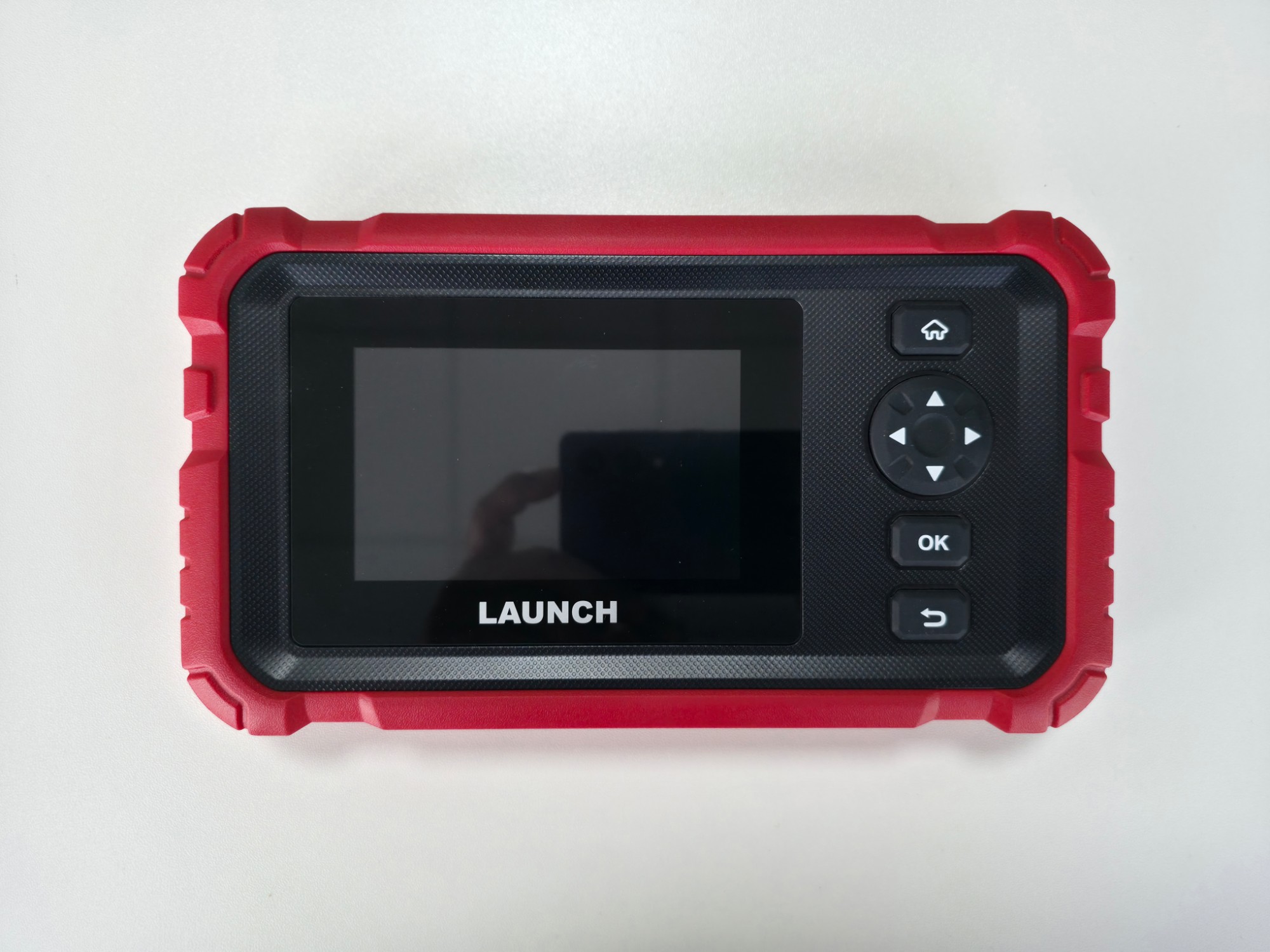
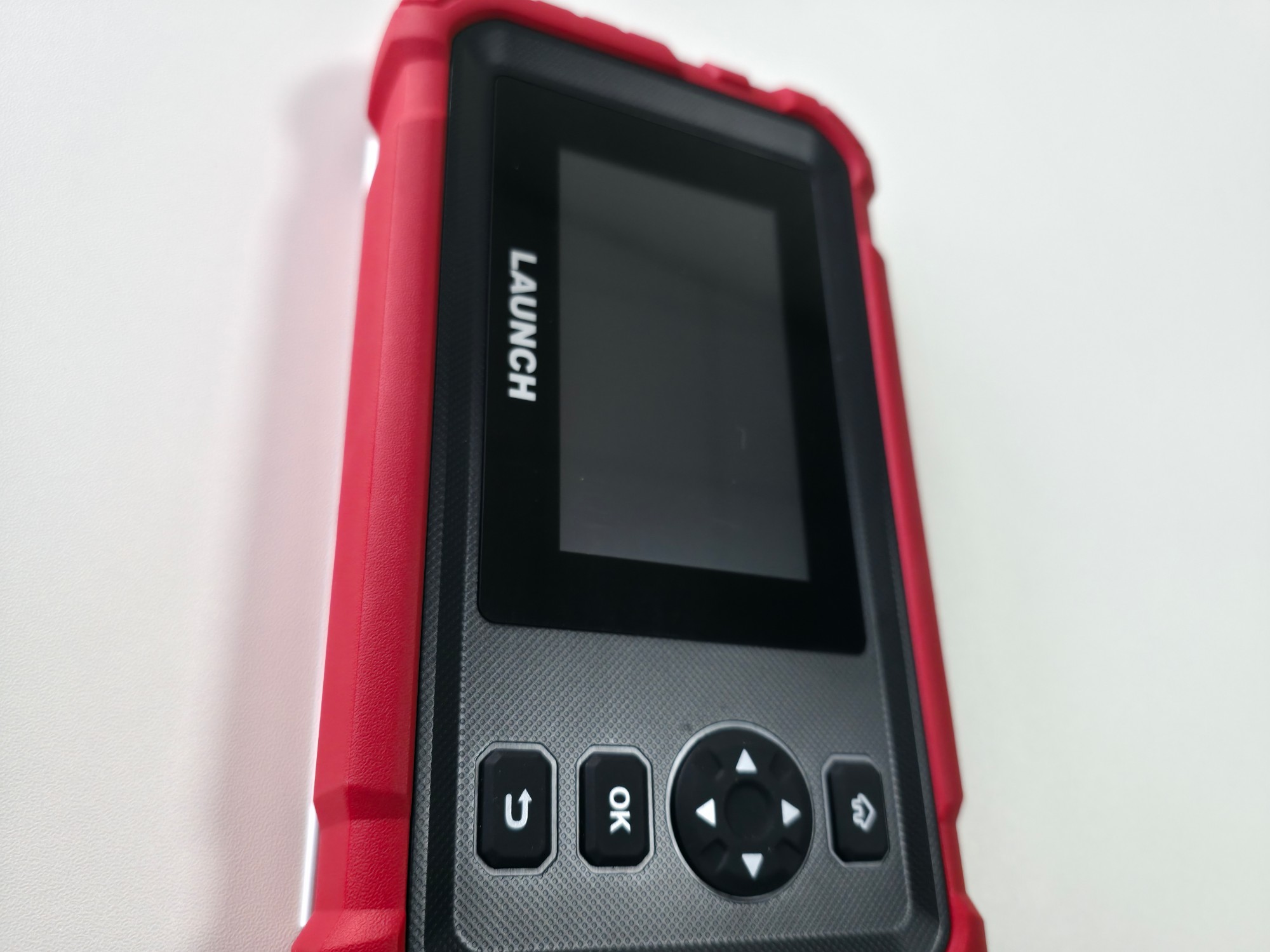
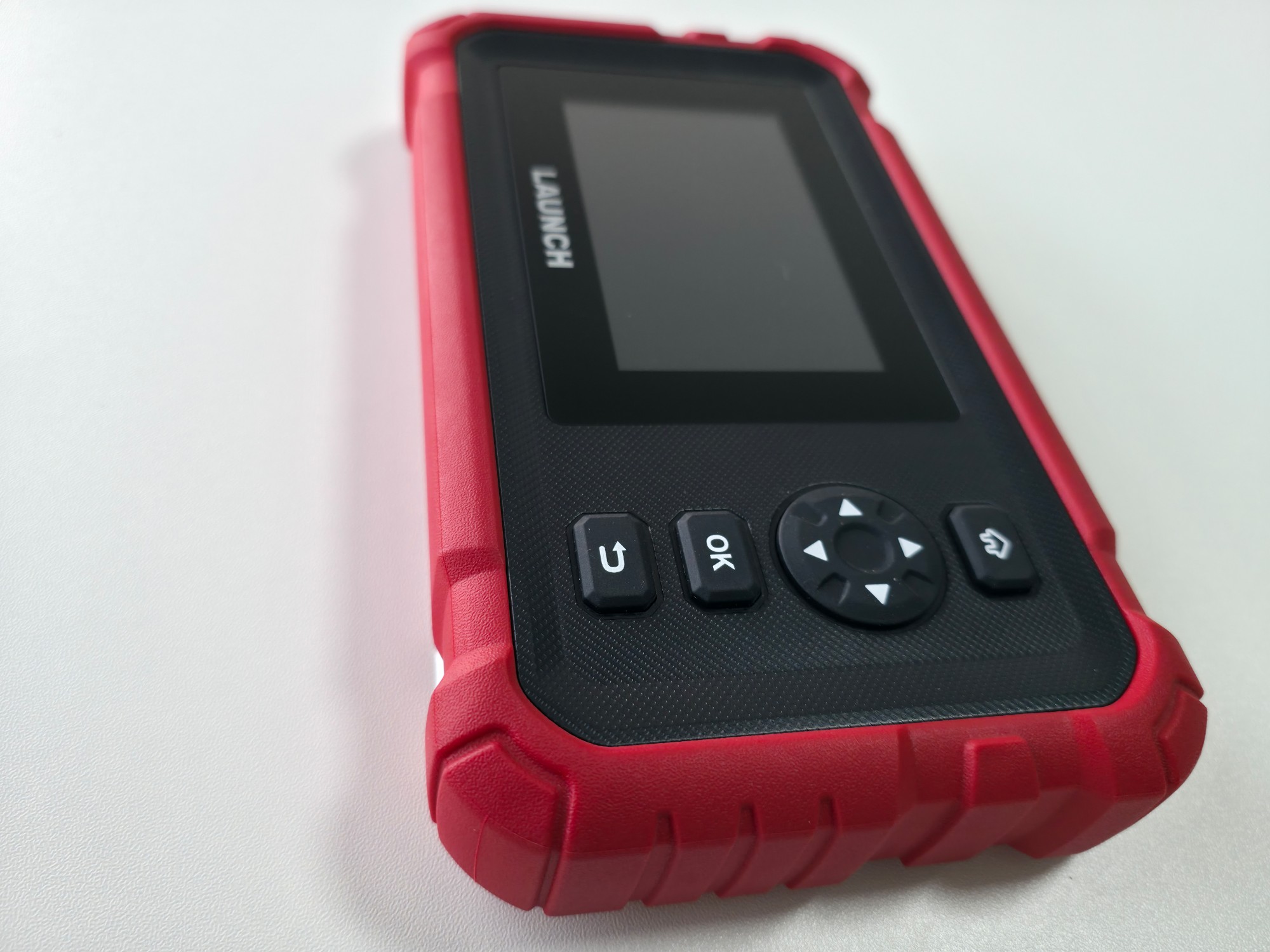


LAUNCH Creader Professional 123S HD Heavy-Duty Truck Diagnostic Scan Tool
3.200,00 SAR
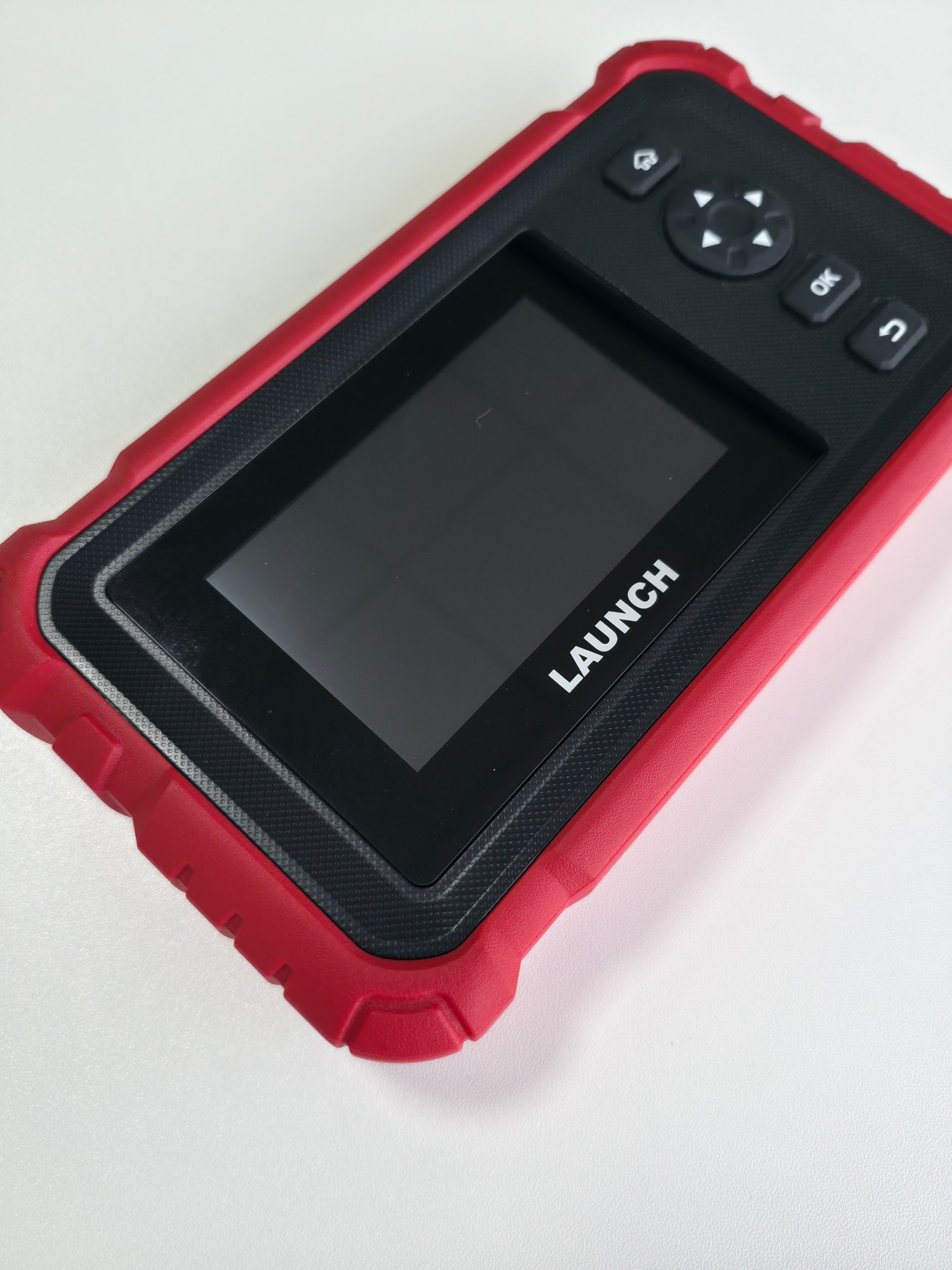
The LAUNCH Creader Professional 123S HD is an Android heavy-duty truck diagnostic scan tool: read and clear DTCs, graph live data, look up vehicle information, and run seven HD services including DPF, DEF, injector coding and speed-limit adjustment, plus tech-to-tech remote from V2.12.
Supplied in Saudi Arabia through Launch Gulf: 2-year warranty, two years of free updates, a free practical training course, and specialist support.
Scan the truck, run the supported service, and leave a report.

LAUNCH Creader Professional 123S HD heavy-duty truck diagnostic tool
A modern diesel truck is a network of controllers, not a machine you diagnose by ear alone. Injection, DPF, DEF, brakes, gearbox and the speed limiter all store faults. When the lamp comes on or the truck derates, the haulier loses a day and the technician loses hours if parts come off before the data link is read. A commercial workshop needs a tool that speaks truck protocols — not a passenger code reader built around 12-volt cars.
The LAUNCH Creader Professional 123S HD (CRP 123S HD) is Launch’s compact Android diagnostic tool for commercial-vehicle repair: basic functions on vehicle systems, seven advanced service functions, report review and record playback, plus tech-to-tech remote diagnosis from software V2.12. Hardware figures on this page come from Launch’s official product page. Operating practice follows the CRP 123S HD handbook — not the passenger CRP123 family.
This listing is written for truck shops, diesel technicians and fleet managers who need to know what the tool actually does. It does not repair a truck by itself. It does not cover every VIN on the road. It reads and clears DTCs, graphs live data, looks up vehicle information, reviews reports, plays back records, and runs a service function when that path appears for the make and year on screen.
What is the LAUNCH Creader Professional 123S HD?
It is a handheld Android 8.1 diagnostic tablet with a 3.97-inch touchscreen, 2+16 GB memory and storage, a 1.3 GHz CPU and a 3000 mAh battery. The vehicle link is OBD-II; charging and auxiliary power use Type-C; updates travel over 2.4 GHz Wi-Fi. Weight is under 500 g and the body is 212×120×34 mm, so it walks the yard without a trolley.
Launch positions it as an intelligent heavy-duty tool for commercial repair, with wide OE-level coverage for Asian, European and U.S. makes. That is a geographic coverage statement, not a promise of every truck. Actual support depends on make, model, year, the module you open, and the software build after an update.
The handbook for this model lists OBD-II/CAN plus the heavy-duty stack J1587, J1708 and J1939. That is why it is not a re-badged Creader Professional 123 passenger tool. Different screen, different service list, different job. If your bay sees trucks, coaches and commercial diesel, you are looking at a heavy-duty scan tool — not a petrol lamp-clearer.
Why truck workshops need a dedicated diagnostic tool
First: a check-engine lamp on a tractor unit is rarely a cheap sensor. It may be DPF delta pressure, DEF quality, an injector that lost its correction after a swap, or a brake module that stored a fault. A truck diagnostic tool reads the code and the live data before the machine is opened.
Second: fleets do not wait. Every hour on the ramp is delayed freight. Electronic diagnosis settles the argument: is the fault present or stored? Do the values allow a regen, or is the filter a brick that must be replaced?
Third: post-repair service is now a billed line. Oil reset, injector coding, speed-limit adjustment and clutch matching are not sitting in a generic OBD toy. A tool that carries them in a service menu finishes the job.
Fourth: not every shift has an aftertreatment specialist. Tech-to-tech remote lets a PC-side technician drive the tablet while it stays on the truck, so some hard jobs do not need a tow to another city.
Key strengths of the Creader Professional 123S HD
- Commercial brief: designed for commercial-vehicle repair and diagnostics.
- Core scan: read and clear DTCs, live-data graphs, vehicle information lookup.
- Seven HD services: DPF, DEF/urea, oil reset, injector coding, speed limit, cylinder/compression, clutch matching.
- Evidence: diagnostic report review and record playback for the customer and for a re-check.
- Remote help: from V2.12 a colleague can control the tablet from a PC client.
- Updates without a desk PC: 2.4 GHz Wi-Fi per the factory table.
- Daily carry: under 500 g, touchscreen, operating range −10 to 50 °C.
- Wired link: a cable in a truck’s electrical noise is more honest than Bluetooth this model does not advertise.
The value is not a slogan about being the strongest tool on earth. The value is a light tablet that reads the network, runs a service when it is offered, and leaves a record. That is a working heavy-duty scanner, not a lab rack with every scope lead in the foam.
Basic diagnostic functions
Before the seven service items, daily work rests on Launch’s basic functions. Without them, regen or coding is a guess.
Read DTCs
The tool shows stored codes in the modules available for that vehicle. A code is a door, not a part number. Read it, then open live data to see whether the fault is present now or only a memory.
Clear DTCs
Clear after a real repair, then scan again. Clearing first hides the evidence and brings the truck back tomorrow. Treat clear as the end of the job, not the start.
Live data and graphs
Values at idle or under load show what a code will not: temperature, pressure, soot, voltage. The handbook allows up to four traces on one waveform. Watch the PIDs this truck actually offers. Do not assume every sensor exists on every year.
Vehicle information
Lookup helps match the model and modules before a deep scan. If AutoVIN runs on connect, confirm it against the truck in front of you before you continue.
Reports and playback
Report review and record playback are not decoration. They prove the electronic inspection happened, and they let you compare morning values with the afternoon after a part change.
Functions of the LAUNCH Creader Professional 123S HD
Launch lists seven advanced service functions. The factory label for the filter job is DPF Refen — DPF regeneration. The rest: Urea Drive (DEF), oil maintenance reset, injector coding, speed-limit adjustment, cylinder deactivation/compression, clutch matching. Whether an item appears depends on make, year and software. If it is missing, that path is unsupported for this vehicle.
1. DPF regeneration
The particulate filter holds soot. When delta pressure rises or blockage codes store, the truck may need a regen under temperature and RPM conditions the software enforces. The tool helps run that service when it is supported. It will not resurrect a melted brick. Vent the bay, set the brakes, keep people off the stack — the pipe gets hot.
2. Urea Drive (DEF)
Aftertreatment is more than filling the tank. Urea Drive helps you work the pump, quality or sensor path within what the model allows. The aim is a tighter diagnosis before you throw a tank or a pump at the job.
3. Oil maintenance reset
After an oil change the reminder stays until the module is reset. A small daily function, but it closes the driver’s complaint and becomes a billed line instead of a free “computer check.”
4. Injector coding
A new diesel injector carries a correction value. Without coding, combustion suffers and the pump gets blamed. The function helps enter that coding when the software supports it after a swap. Follow the screen. Do not copy numbers from another truck.
5. Speed-limit adjustment
Hauliers often ask for limiter changes after service or under fleet policy. The tool offers the path inside what the vehicle software allows. Confirm the function is visible for that year before you promise the result.
6. Cylinder deactivation / compression
Before you quote a costly head job, this service helps compare a weak cylinder within what the program shows. It is a decision aid, not a full mechanical compression test if that is still required.
7. Clutch matching
After clutch work or some gearbox interventions the module needs a relearn. Run matching only if it appears in the service list, finish the on-screen sequence, then re-read codes.
A full job: using the Creader Professional 123S HD on a truck
The sequence below follows the handbook: charge or power, connect the DLC, diagnose, read, graph, service if offered, report. Menu wording varies with language pack. Use the path, not an invented English button name.
- Prepare the truck and the tool. Park safe, brakes set, nobody behind the stack if a regen may follow. Do not start on a near-empty battery. The handbook lists charging through the diagnostic cable from the vehicle DLC, or through Type-C from an external supply.
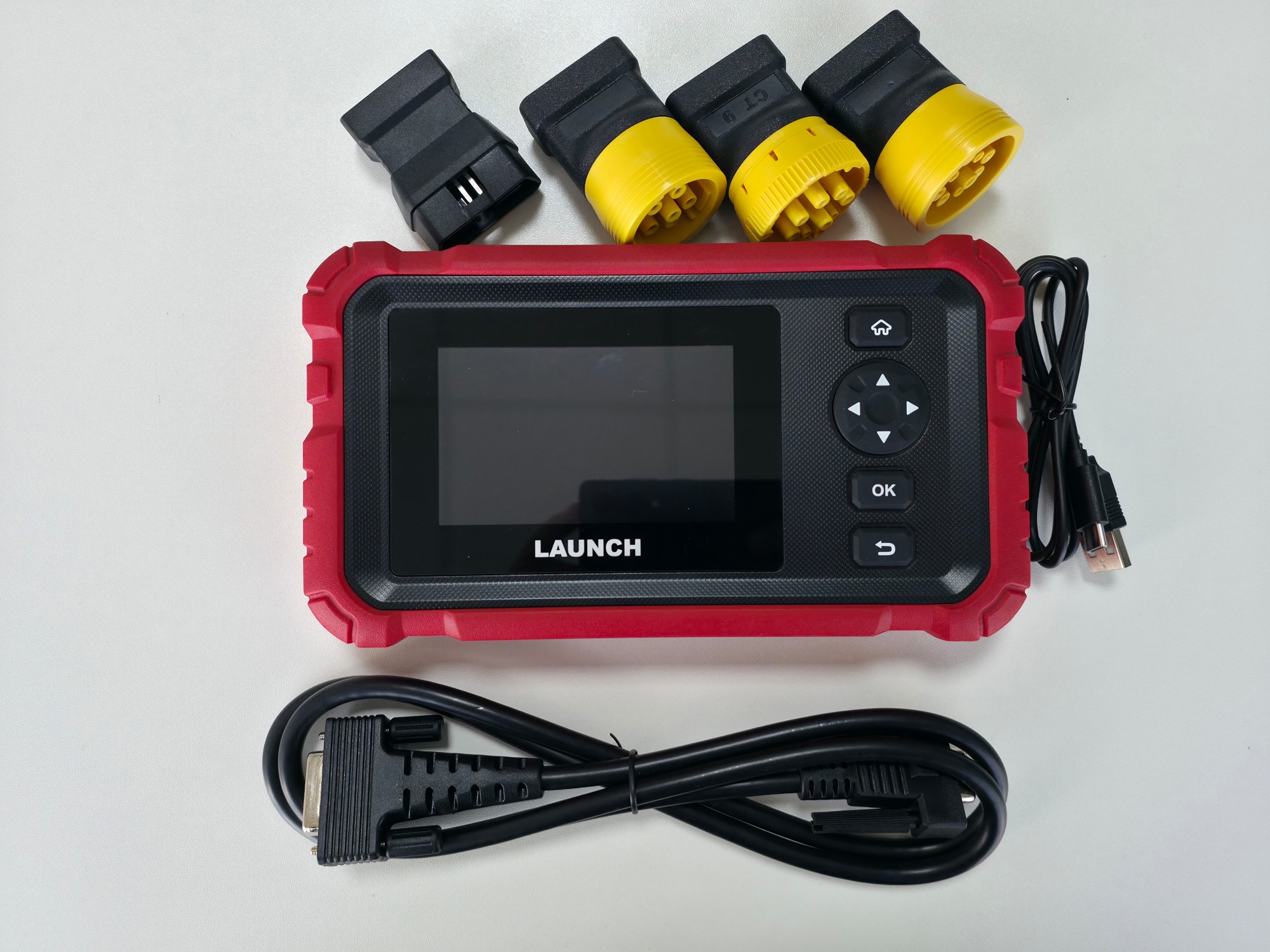
- Find the DLC. It is usually in the cab. Many commercials are not a car 16-pin socket. Fit the matching adaptor (6-pin, 9-pin or CT9, depending on the pack and the truck).
- Connect. Key off for a safe hook-up as the handbook recommends. Seat the cable in the tool’s DB-15, then the adaptor, then the truck, and tighten. The handbook FAQ treats a stalled live-data stream as a loose plug: power off, reseat, restart.
- Power on. Use the power key and wait for boot. Set brightness, WLAN and time zone on first use, and update over 2.4 GHz Wi-Fi before paid work.
- Open diagnosis. From the main menu enter diagnosis. After a good link, the system-diagnosis screen appears. Keep software current so paths stay closer to current models.
- Identify the vehicle. Choose the system — for example the engine module — then the make offered in the list. If AutoVIN is enabled in settings, check the match before you continue. Available tests vary by make, model and year.
- Read DTCs. Open code reading and save the result. Note stored versus pending if the software draws that distinction. Do not pull a DPF because the code named it; open live data first.
- Graph live data. Select the PIDs on offer. Compare up to four traces if you need to. Watch what matches the complaint: filter delta pressure, exhaust temperature, DEF signals, system voltage.
- Judge the job. Combine the code, the graph and the driver’s story. If values sit in a regen window, set safety conditions. If they say the filter is packed or heat will never arrive, tell the customer a service function will not rebuild a dead brick.
- Run a service function only if one of the seven appears. Follow the screen. Do not force a regen with an exhaust leak or fuel state outside what the program asks.
- Let the procedure finish. Do not unplug or key off mid-service. If the session dies, reconnect from the start. Do not “continue from the middle” by guesswork.
- Clear after the repair when that is appropriate, then read again. A present code means the cause is still open.
- Re-scan and review the report. Scan the related systems. Save the report or play back the record. Hand the fleet a document, not a sentence.
If the job is above the shift and software is V2.12 or newer, use tech-to-tech remote so a specialist drives the tablet from a PC. The handbook also describes remote assistance by sharing a device ID. Leave cable and network in place until the session ends.
You can also open HD OBD for J1939 or J1708 modules, and EOBD for I/M readiness, live data and freeze frame. Those are read-and-report paths. They sit beside system diagnosis; they do not replace judgement.
Technical specifications — LAUNCH Creader Professional 123S HD
| Item | Value on Launch’s official page |
|---|---|
| Product name | Creader Professional 123S HD |
| Manufacturer | LAUNCH TECH CO., LTD. |
| Type | Android intelligent diagnostic tool for commercial / heavy-duty vehicles |
| Display | 3.97 inch |
| Operating system | Android 8.1 |
| Memory / storage | 2+16 GB |
| CPU | 1.3 GHz |
| Battery | 3000 mAh |
| Communication / upgrade | Wi-Fi 2.4 GHz (b/g/n) |
| Interfaces | OBD-II and Type-C |
| Working temperature | −10 to 50 °C |
| Storage temperature | −20 to 70 °C |
| Dimensions | 212×120×34 mm |
| Package size | 323×254×131 mm |
| Weight | < 500 g |
Launch Europe’s official channel for this model also notes 800×480 on the panel, power from OBD or Type-C, and truck adaptors in the pack. Where a figure conflicts with the factory table on i-293, the factory table wins for hardware.
Coverage and compatibility
Launch states wide OE-level coverage for Asian, European and U.S. makes. That helps a mixed commercial yard. It does not mean every one of the seven services runs on every year. Compatibility depends on:
- the vehicle manufacturer;
- model and year;
- the module you need (engine, aftertreatment, brakes, gearbox);
- the tool’s software version after an update;
- the coverage in the current software package.
We do not write “compatible with all trucks.” Confirm on screen after an update, or ask support before you promise a whole fleet. After the included update period you may keep using the tool without new models and functions unless you buy further coverage through the in-tool upgrade path.
How to think about truck protocols
Passenger cars mostly live on OBD-II/CAN. Heavy trucks added J1708 at the physical layer, J1587 above it, and J1939 on much newer equipment. Diagnosis fails if you force a car plug onto a 9-pin cab, or open a passenger path instead of HD diagnosis. This tool combines brand system diagnosis, HD OBD for the heavy protocols, and EOBD for readiness and freeze frame. A good technician does not recite protocol numbers; he seats the right adaptor and opens the right path.
That is also why this model is not CRP123, CRP123E, CRP123X or CRP 129. Those are passenger tools with different voltage, screens and service lists. LAUNCH CRP 123S HD carries HD because the job is commercial heavy-duty. Buy it for that reason, not because “123” looks familiar from an old drawer tool.
Who needs the LAUNCH Creader Professional 123S HD?
1. Truck workshops that want daily code reading plus DPF, oil and injector service without a full toolbox tablet.
2. Diagnostic technicians walking the yard; the weight and the cable fit that rhythm.
3. Commercial and coach centres that scan before any major strip-down.
4. Diesel shops living with particulate filters, DEF and injectors.
5. Fleet owners who want a saved report after each visit, not a driver’s story.
6. Heavy-vehicle specialists who want HD OBD beside system diagnosis.
7. Teams that will use the seven services and tech-to-tech when the job exceeds the shift.
If most of your work is late passenger cars behind a security gateway, this model is not that path. If 24 V diesel commercials keep rolling in, the tool matches the purchase intent.
First day: pack and setup
The CRP 123S HD handbook notes that pack contents can vary by region. A typical kit is the tool, diagnostic cable, CT9 adaptor, 6-pin OBD adaptor, Type II 9-pin adaptor and a Type-C charge cable. Check the carton list on arrival. On first boot: charge, set metric or imperial units, enable AutoVIN if you want it, enter workshop details so they print on reports, then update from the upgrade path on 2.4 GHz Wi-Fi. Under Data you will find records, reports, a DTC library, common DLC locations, screenshots, factory feedback, firmware correction and the on-screen user manual. If the paper copy walks off, that on-device handbook is the shift reference. Upgrade opens the update centre. A Shop path can unlock extra software later — a management decision after free coverage ends, not a hidden defect if you know it on day one.
Jobs the tool can help diagnose
The correct phrase: the tool helps diagnose or run a supported service function. It does not fix the fault by itself.
- Malfunction lamp: read the code, then live data, to see if the fault is present.
- Stored DTCs: document them before any strip-down; compare after the repair.
- Live data need: watch aftertreatment or injection values under load.
- DPF: help with regen when the function is supported and conditions are met.
- Urea/DEF: the urea-drive path when the make offers it.
- Injection: injector coding after a replacement if the software allows it.
- Oil service: reset the reminder after a change.
- Clutch: matching after related work.
- Speed: limiter adjustment when the path is visible.
- Vehicle data: module information and VIN within what can be read.
Freeze frame — when EOBD offers it — captures operating conditions at the moment a fault stored. It helps analysis. It is not a road test.
What the tool is worth on a truck bay
A truck shop profits when “computer check” becomes a documented sequence: connect, read, graph, service if offered, report. Under 500 g, it walks with the technician. Wi-Fi updates cut the morning trip to a desk PC. Reports close arguments with the driver. Remote diagnosis reduces the hard tow. Buying through Launch Gulf includes a two-year warranty, two years of updates, a practical course and specialist support, so first power-up is training, not an angry customer.
We do not promise a payback month. We map published functions to invoice lines: system scan, DPF regen, injector coding, oil reset. A fleet owner understands those lines when he sees the report. One bay, one tool, with a handoff rule. Three technicians fighting over the same tablet waste the time diagnosis was meant to save.
Tech-to-Tech remote diagnosis
Launch’s factory page lists local tech-to-tech remote diagnosis as a new function. It is available from software V2.12 or newer. Tap the icon and a PC-client technician can control the tablet to help fix issues. The tool stays on the truck. Remote control is of the tablet, not of a moving vehicle. Do not stretch this into OEM pass-through or actuator tests the company did not list. Keep Wi-Fi and the cable alive until the session ends.
Function table
| Function | What it does | Why it matters |
|---|---|---|
| Read DTCs | Shows stored codes in available systems | A start point instead of random strip-down |
| Clear DTCs | Removes codes after a repair when appropriate | Confirms the fault is no longer present |
| Live data | Values as text or graphs | Separates a live fault from an old memory |
| Vehicle information | Helps match model and modules | Fewer wrong software paths |
| Reports and playback | Review the report and replay the record | Customer proof and a later re-check |
| DPF regeneration | Regen under software conditions | A common diesel service when supported |
| Urea Drive (DEF) | DEF/urea system path | Narrows the fault before parts-cannon work |
| Oil maintenance reset | Clears the oil service reminder | Daily line after an oil change |
| Injector coding | Codes a replacement injector | Avoids a misfire after a swap |
| Speed-limit adjustment | Changes the limiter if the path appears | A frequent fleet request |
| Cylinder / compression | Helps assess a cylinder | A decision before a costly head job |
| Clutch matching | Relearn after related work | Closes the file after clutch service |
| Tech-to-tech from V2.12 | PC-side control of the tablet | Help when the job exceeds the shift |
Why choose this truck diagnostic tool?
Choose it if you want a compact Android unit that reads commercial systems, graphs live data, stores reports, offers seven published HD services, and can call tech-to-tech remote from V2.12. Ease of use comes from a relatively short menu and a light body — not from a forever-coverage claim. It is Launch’s truck tool in the hand: diagnose, service, document. If you later need wide bi-directional actuator tests or a full OEM pass-through platform, that is another class of product. Do not judge this model by that class, and do not discount it in its own field.
Practical tips
- Update on 2.4 GHz Wi-Fi before paid work.
- Use the adaptor that matches the cab DLC. The wrong plug looks like a dead tool.
- Do not operate the tool while the truck is driving. Test in a safe, ventilated place.
- Do not regen outside software conditions or on a destroyed filter.
- Do not assume injector coding or speed limit on every year. Check that the function appears.
- Clean adaptor pins. The wired link is this model’s strength and its failure point if the socket is corroded.
- Do not mix this handbook with a passenger CRP123 manual.
- Keep the serial number, and fill workshop info in settings so it prints on reports.
FAQ: LAUNCH Creader Professional 123S HD
What is the LAUNCH Creader Professional 123S HD?
An Android Launch diagnostic tool for commercial and heavy-duty vehicles: read/clear DTCs, live data, vehicle info, seven service functions, reports, and tech-to-tech remote from V2.12.
Is it suitable for truck diagnostics?
Yes. Launch classifies it as a heavy-duty commercial diagnostic tool, not a generic passenger reader.
Does it support commercial vehicles?
Yes. The factory page describes an Android tool for commercial-vehicle repair and diagnostics, with OE-level coverage for Asian, European and U.S. makes.
Can it read and clear fault codes?
Yes. Read and clear DTCs are listed among the basic functions.
Does it show live data?
Yes. Live data can be graphed, and several values can share one waveform within what the software offers.
Does it support DPF?
Yes as an advanced service (DPF Refen / regeneration) when it appears for that make and year and software conditions are met.
Does it support Urea/DEF?
Yes. Urea Drive (DEF) is one of the seven official service functions.
Does it support injector coding?
Yes. Injector coding is listed, and it runs only if that truck’s software path supports it.
Does it support oil maintenance reset?
Yes. Oil Maintenance Reset is one of the seven functions.
Does it support remote diagnosis?
Yes from V2.12 or newer: a PC-client technician can control the tablet to help fix issues.
Is it suitable for workshops?
It fits truck, diesel and commercial centres that need electronic inspection and the published HD services in a compact tool.
What operating system does it use?
Android 8.1 per the factory table.
What is the screen size?
3.97 inch.
How is the tool updated?
Communication and upgrade via 2.4 GHz Wi-Fi. Update before paid work and after you receive the unit.
Is it compatible with all trucks?
No. Official coverage is a wide OE-level geographic statement. Compatibility depends on make, model, year, module and software version. Confirm on screen or with support before promising a fleet.
Summary
The LAUNCH Creader Professional 123S HD is a compact Android tool for electronic truck diagnosis: codes, live data, vehicle info, reports, seven HD services, and tech-to-tech remote from V2.12. It suits diesel shops, commercial centres and technicians who walk the yard. Coverage is wide, not absolute. Use it to diagnose and to run a supported service, then leave a report. That is the difference between a lamp-clearer and a truck diagnostic scan tool a maintenance decision can rest on.
Read the network first. Then decide on parts or a service function.
30 reviews for LAUNCH Creader Professional 123S HD Heavy-Duty Truck Diagnostic Scan Tool
الأسئلة الشائعة
An Android Launch diagnostic tool for commercial and heavy-duty vehicles: read/clear DTCs, live data, vehicle info, seven service functions, reports, and tech-to-tech remote from V2.12.
Yes. Launch classifies it as a heavy-duty commercial diagnostic tool, not a generic passenger reader.
Yes. The factory page describes an Android tool for commercial-vehicle repair and diagnostics, with OE-level coverage for Asian, European and U.S. makes.
Yes. Read and clear DTCs are listed among the basic functions.
Yes. Live data can be graphed, and several values can share one waveform within what the software offers.
Yes as an advanced service (DPF Refen / regeneration) when it appears for that make and year and software conditions are met.
Yes. Urea Drive (DEF) is one of the seven official service functions.
Yes. Injector coding is listed, and it runs only if that truck’s software path supports it.
Yes. Oil Maintenance Reset is one of the seven functions.
Yes from V2.12 or newer: a PC-client technician can control the tablet to help fix issues.
It fits truck, diesel and commercial centres that need electronic inspection and the published HD services in a compact tool.
Android 8.1 per the factory table.
3.97 inch.
Communication and upgrade via 2.4 GHz Wi-Fi. Update before paid work and after you receive the unit.
No. Official coverage is a wide OE-level geographic statement. Compatibility depends on make, model, year, module and software version. Confirm on screen or with support before promising a fleet.


Light Haul Workshop – Riyadh –
Light in the hand. The right cab adaptor made the first truck talk after training.
Jeddah Fleet Centre –
Codes plus live graphs showed why the truck was derated before anyone pulled a filter.
Eastern Diesel Shop – Dammam –
Injector coding after a swap closed a misfire we would have blamed on the pump.
Heavy Scan Centre – Khobar –
Oil reset is a daily line. The saved record convinces the driver more than talk.
Commercial Road Workshop – Makkah –
Speed-limit jobs come from hauliers. The path appears on some models; we check the screen first.
Madinah Fleet Maintenance –
A cable beats a Bluetooth promise. The yard is a steel cage anyway.
Height Truck Shop – Taif –
The 9-pin adaptor was the missing piece. After that, dropouts stopped.
South Transport Centre – Abha –
A 2.4 GHz update before opening stopped mid-job surprises.
Coast Diesel Workshop – Yanbu –
DEF drive helped separate an empty tank from a pump. Less guessing on parts.
Qassim Truck Centre – Buraidah –
Under 500 g matters when you walk five trucks on the lot.
Quick Service Shop – Khamis Mushait –
Tech-to-tech remote on the current software saved an afternoon tow to tomorrow.
Jubail Engines Centre –
Cylinder/compression check gave a direction before we quoted a head job.
Najd Transport Shop – Hail –
Clutch matching showed up after clutch work. We followed the screen literally.
North Fleet Centre – Tabuk –
A two-year distributor warranty means we know who to call if charging dies.
Al-Ahsa Diesel Workshop –
We keep it off SGW cars as warned. It stays on trucks and the team is clearer.
Qatif Transport Centre –
Playing back the morning record after the repair showed the code was gone. Handover got easier.
Najran Truck Workshop –
Hands-on training mattered more than the small screen. Without it we would have forced a regen.
Jazan Fleet Centre –
Two years of updates cover the early period. After that we decide on renewal by fleet size.
AlUla Transport Shop –
It does not replace a full tablet if we need live actuator tests. That was clear on day one.
Kharj Diesel Centre –
We added DPF and oil-reset lines to the price list after a week.
Naseem Transport – Riyadh –
Menus are short. Ease of use improved after three days.
Hamra Truck Centre – Jeddah –
Type-C charging in the office is simple. The pack lasts a scan shift, not endless unattended regens.
Industrial Diesel Shop – Riyadh –
Weekly pin cleaning stopped dropouts we used to blame on the tool.
Safa Transport – Jeddah –
Customers understand the inspection line when they see the graph, not only a code string.
Aziziyah Truck Shop – Makkah –
We do not unplug during remote help. That warning is on the wall after training.
Noor Diesel – Dammam –
One bay, one tool. Sharing it across three techs without a handoff was chaos.
Corniche Transport – Khobar –
We confirm the model before promising DPF. Some years hide the function; that saved embarrassment.
Safety Fleet Centre – Madinah –
Ventilation during regen is a rule. The tool does not cancel hot exhaust.
Experts Transport – Qassim –
Buying through the exclusive channel meant activation and training. First power-up was not on an angry customer.
Model Truck Workshop – Riyadh –
Months later the sequence is still connect, read, service if offered, report. That stability beats coverage slogans.